

tufu on Wix sites
An AI chatbot and live chat for your Wix site.
Visitors get an answer in seconds, taken from what your site already says. The questions that need a person come to you, and you answer live.
- Works on Wix sites with a connected domain
- Free to start, no card needed
- About ten minutes to set up
Free US$0 · Starter US$19 · Team US$49 · Scale US$249 a month. One price for the whole team. No seats, ever.
 Grooming Help
What it does
Your Wix site, answering for you.
- The questions you get every week, answered. Prices, opening hours, what a service includes: the bot answers from your own pages and links the one it used. Every Wix site comes with a sitemap index at yourdomain.com/sitemap.xml, with a list each for your pages, blog posts and store products. Add that one address under Knowledge and tufu follows it to all of them.
- A person steps in without a second tool. A visitor presses Talk to a human, the bot stops, and the conversation reaches you with a one-line summary. Answer in tufu's inbox, reply to the notification email, or use Slack on Team.
- First, a published site on your own domain. Wix adds custom code only to a site that is published and has a connected domain, so a free site on a wixsite.com address doesn't qualify.
- Every page, new ones included. Choose All pages when you add each snippet and Wix puts it on the pages you have now and on any you create in the future.
- Changing your domain removes the snippets. Wix ties code snippets to one domain. Assign a different domain to the site and Wix deletes them, so add both again afterwards.
Set up
Set it up from your Wix dashboard.
- 01Go to Settings in your site's dashboard and click Custom Code, in the Development & integrations section. Then click + Add Custom Code.
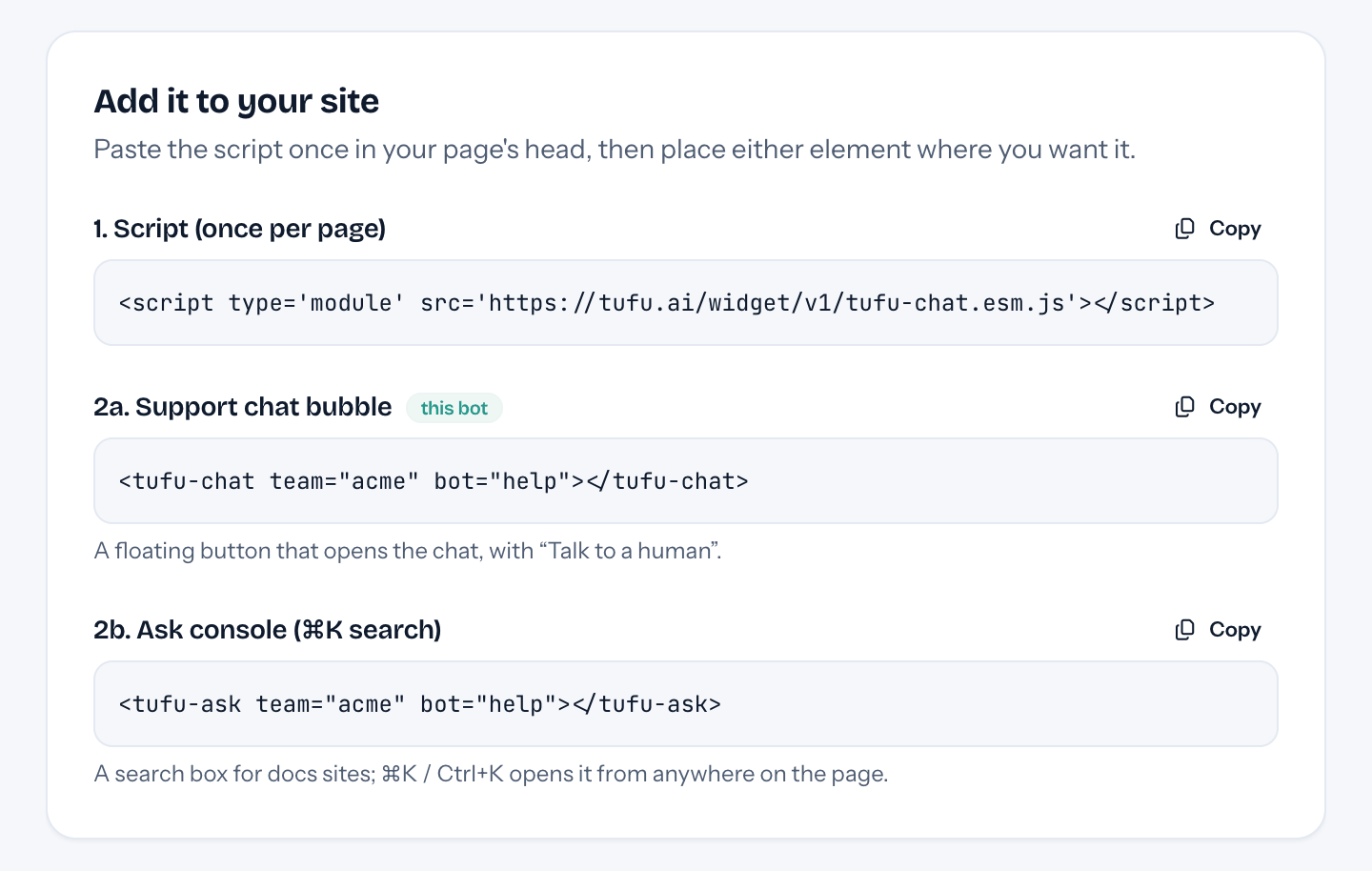
- 02Paste tufu's script, choose All pages, place it in Head and click Apply. Add the chat element the same way, placed in Body – end. Your bot's Put it on your site page has both under its Wix tab.
- 03Visit your published site: the chat button sits in the corner. Back in tufu, add your site under Knowledge so the bot has pages to answer from.
Plans
What it costs.
Start on Free: 100 answers a month from 1 bot, handoff by inbox and email, and “Powered by tufu” under the chat. Team costs $49 a month however many teammates reply, and adds routing and a daily refresh of your pages. What you pay Wix for your plan and domain stays between you and Wix.
See pricingQuestions
Before you start.
Which Wix plan do I need?
One that lets you connect your own domain, which a free Wix site can't. Wix asks for a Premium plan on a site built in the Wix Editor and a Studio plan on one built in the Studio Editor.
Does a Wix chatbot slow the site down?
tufu's script is a single module, which a browser fetches without holding up your page. The chat loads in its own frame once a visitor opens it.
Can I chat with visitors myself?
Yes. Open any conversation in the inbox and take it over, or let visitors ask for you. Alerts on your phone or computer tell you when someone is waiting.
Does it work on phones?
Yes. Phone visitors get the chat full screen, with the same answers and the same Talk to a human button.
Who do I ask if the chat doesn't appear?
Ask tufu. Wix doesn't provide support for third-party code snippets and sends you to the provider, which here is us.
Is tufu free for a Wix site?
Free is, for as long as you like. You pay tufu only if you move to a bigger plan.

Set it up before your next support email.
Free to start, no card needed. Point it at your site and it's answering in about ten minutes.
tufu is not affiliated with or endorsed by Wix. Wix is a trademark of its owner.