

AI support for small teams
Your docs answer first. You answer from your pocket.
tufu answers from your docs and pings you when a person is needed.
Free to start. Set up in about ten minutes.
 Shop Help
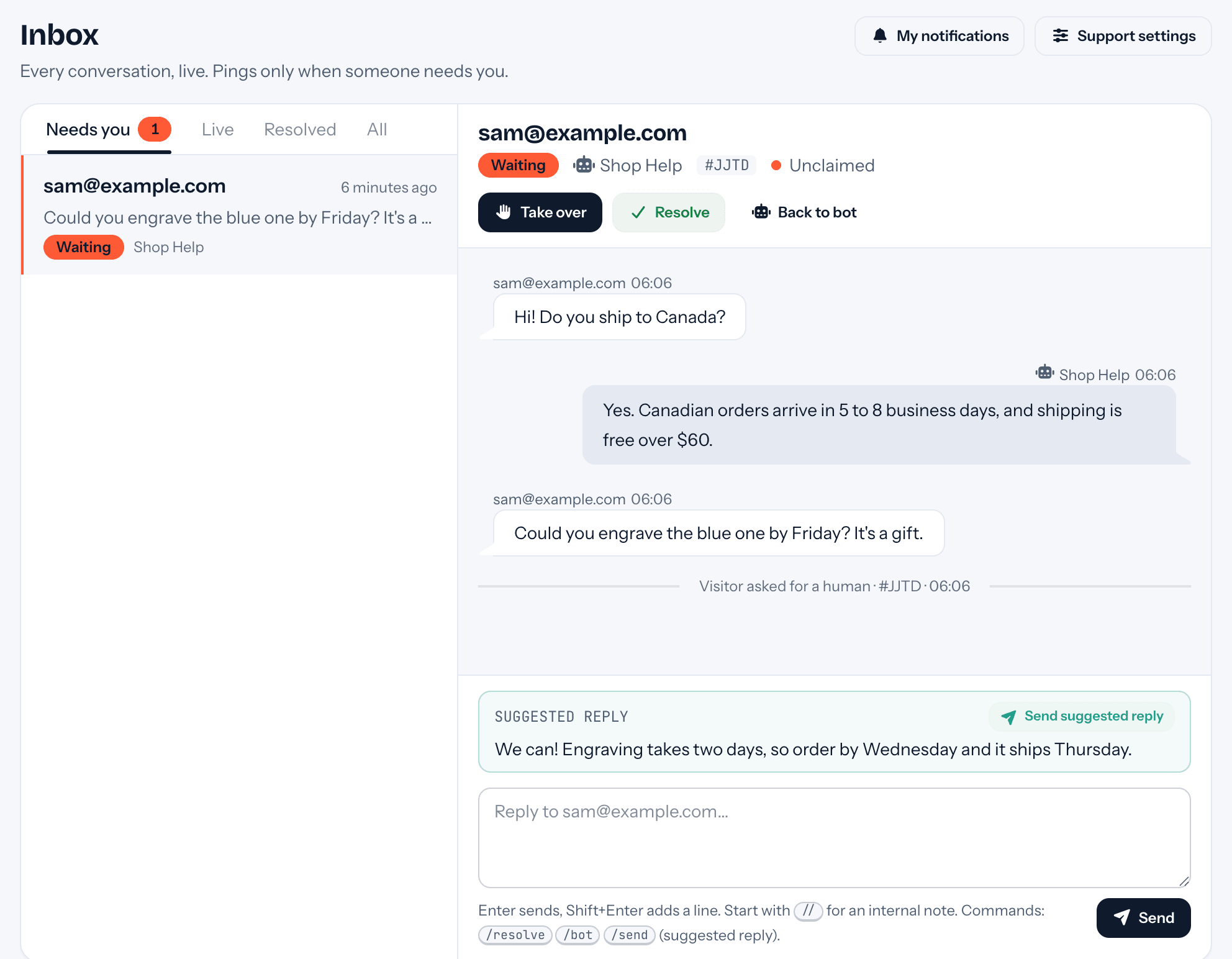
 Reaches you wherever you are
You only get pinged when a person is needed.
- 01One ping with a summary and, when your docs cover it, a drafted reply.
- 02Reply from the inbox, email or Slack.
- 03The visitor sees it live, or by email if they left their address.
Where it answers
Answers from your docs, wherever people ask.
Answers link the page they came from, when there is one.
-
Answers on your site
A chat bubble that answers from your docs, links the page it used, and has a Talk to a human button.
Your website -
Answers in your docs
A search box: ask in plain words, get a short answer and the pages to read.
Ask console -
Answers your support email
Forward your support address. It replies to what your docs cover and hands you the rest.
Support email -
Hands off in your Slack
Handoffs arrive as a thread in your Slack workspace. Reply in the thread and it reaches the visitor.
Slack workspace -
Answers on your WordPress site
Install the tufu AI plugin and press Connect to tufu: the chat bubble and an Ask block, no code.
tufu AI for WordPress -
Answers in your Discord
Mention the bot in your Discord server and it answers in a thread.
Discord server
 Shop Help
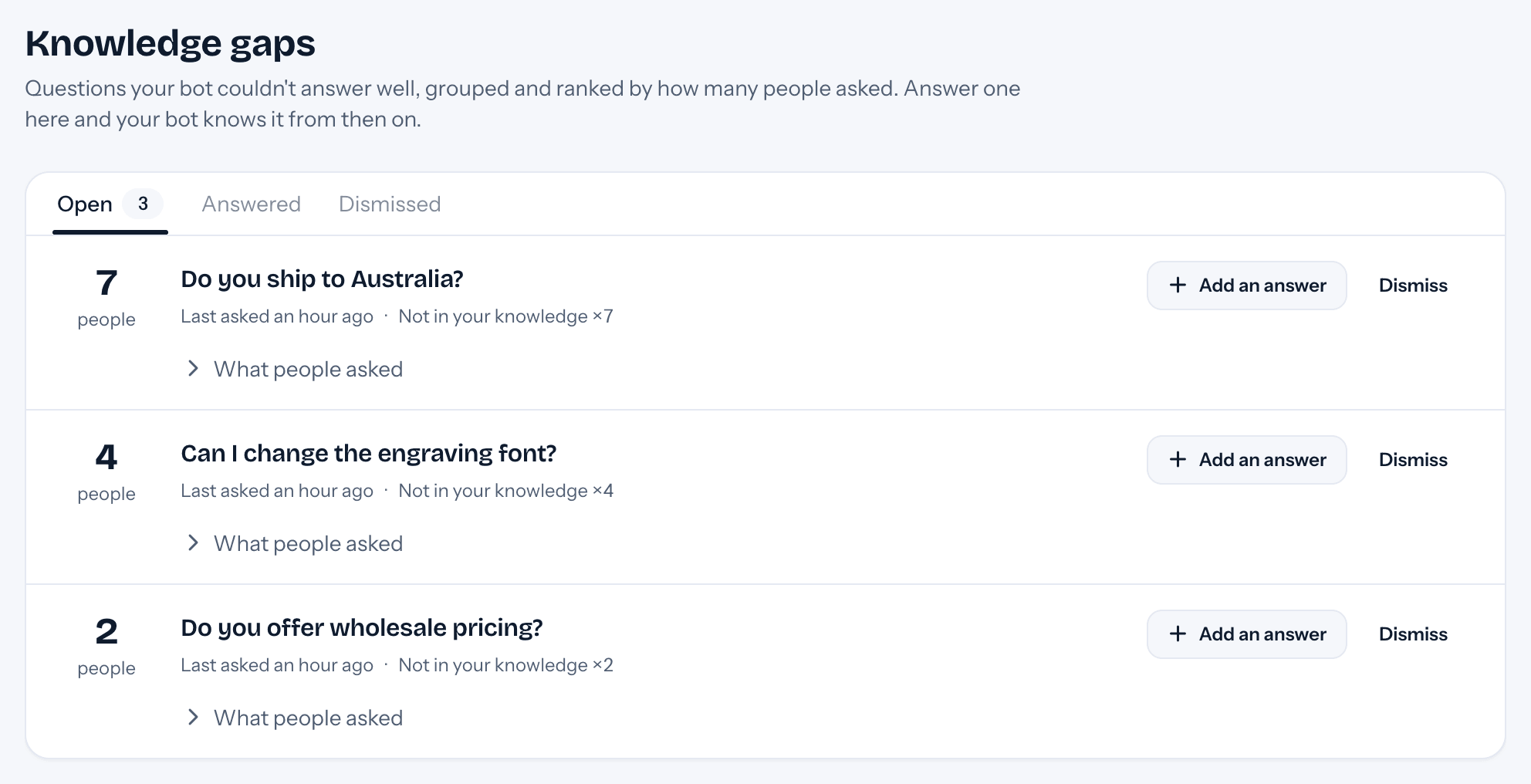
Gets better every week
Answer a question once. The bot knows it from then on.
The questions it couldn't answer are grouped and ranked by how many people asked, so the common ones get fixed first.

Quiet hours and routing
Quiet when you're off. Fair when you're on.
Quiet hours, 10pm to 9am: no email pings. The conversation waits in your inbox.
-
Your phone stays quiet.
-
It waits in your inbox. Your team's Slack channel still sees it.
-
Or take turns: each request goes to one person. Quiet hours and routing come with Team.

Pricing
One flat price for your whole team.
$49a month for Team
Early access price. Locked in for as long as you stay subscribed.
4,000 answers a month on our AI. Unlimited on your own AI key.
Free to start: 200 answers a month.
No seats. Nothing billed after the fact.
See pricingSame traffic, different bills
A month of 1,000 conversations, about 4,000 bot replies.
Assumptions: 4 bot replies in each conversation. Chatbase at 1 credit a reply (its light AI models) or 2 (the mid-size ones), with its branding add-on, and DocsBot on Business, its only self-serve plan without branding, at 1 to 10 credits a reply, since Team includes branding removal. Fin resolving 60% of conversations.
- Chatbase pricing and documentation as read on October 15, 2026; check chatbase.co for current terms.
- DocsBot pricing and documentation as read on October 14, 2026; check docsbot.ai for current terms.
- Fin pricing as read on October 14, 2026; check fin.ai and intercom.com for current terms.
“I built tufu because support for a small team shouldn't mean a helpdesk with seats. Your docs answer first. When they can't, you get one ping with a summary and a suggested reply, and you answer from wherever you are. tufu's own support runs on tufu.”
Proof, live
Watch it answer live in our Discord
tufu's support server runs on tufu. Ask it something and see the answer, and the handoff when it can't.
Join the server
Set it up before your next support email.
Free to start. Point it at your site and it's answering in about ten minutes.