

tufu for Slack
Website chat that comes to Slack when it needs you.
The bot answers visitors from your docs. When someone needs a person, your Slack channel gets a card, and you answer in its thread without opening another app.
- Reply in the thread, the visitor sees it
- A suggested reply when your docs cover it
- Part of the Team plan
Free US$0 · Starter US$19 · Team US$49 · Scale US$249 a month. One price for the whole team. No seats, ever.

What it does
Support that stays in Slack.
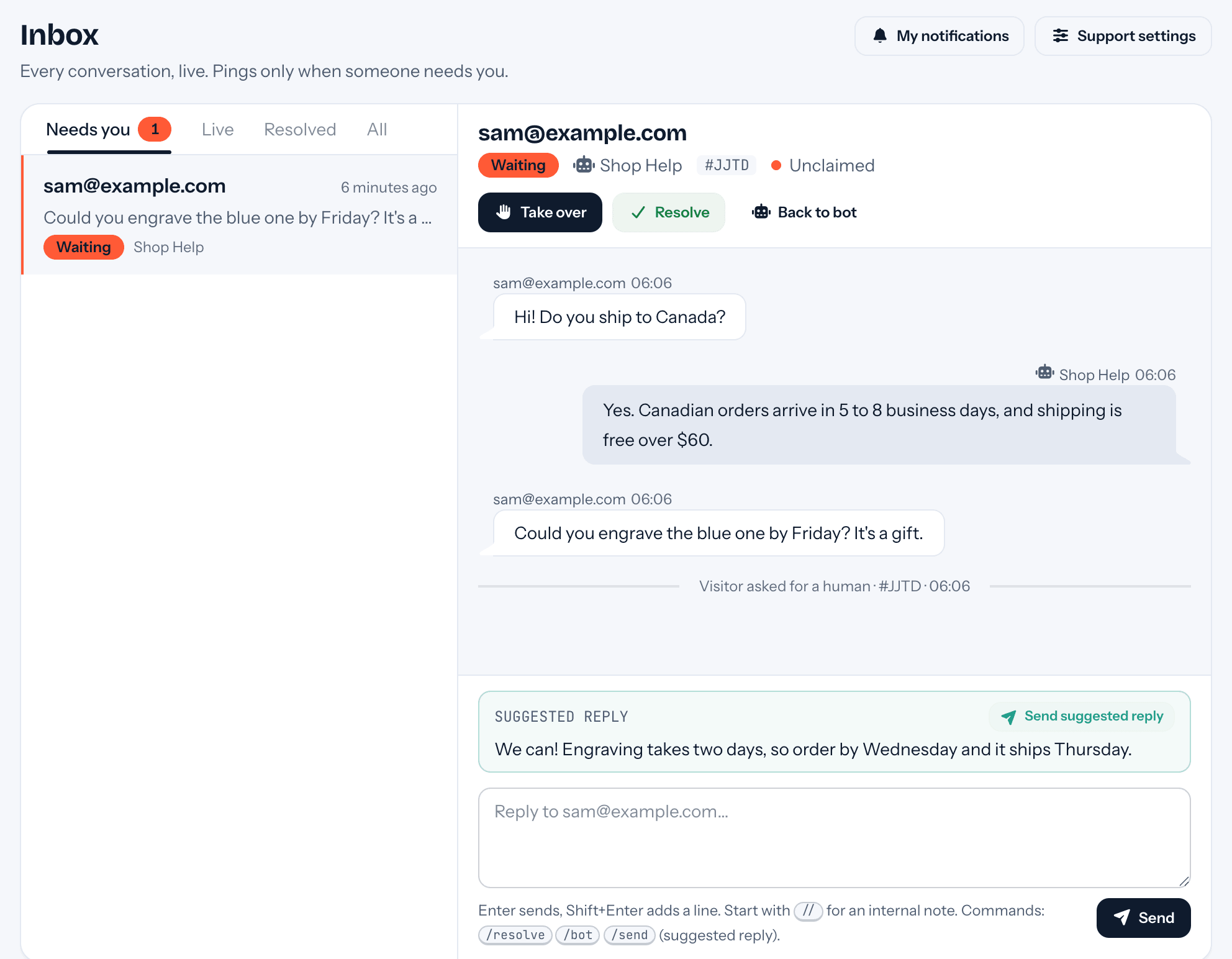
- The thread is the conversation. Reply under the card and the visitor reads it in the chat on your site. What they write back appears in the same thread, and so do reminders and follow-ups.
- Buttons for the usual moves. Send suggested reply, I've got it to claim it before you answer, Resolve, Back to bot, and Open in tufu for the full history.
- You choose who gets pinged. The card mentions @here by default. Switch it to @channel, or to nobody, under Settings → Support.
- Your bot answers inside Slack too. Teammates can mention it or send it a direct message. Three switches per bot: mentions in public channels, mentions in private ones, and DMs.
- Old threads can teach it. Add Slack as a knowledge source and the bot learns from the questions and answers in public channels it can see. Private channels, DMs and handed-off threads are never read for this.
- Commands work in the thread. Start them with a space, like “ /resolve” or “ // note”, because Slack claims anything that begins with a slash. Or press the buttons.
Set up
Three steps to connect it.
- 01In tufu, a team admin opens Settings → Integrations and presses Connect Slack. Adding the app needs an admin of the Slack workspace.
- 02Under Settings → Support, set the handoff channel and who the card mentions. For a private channel, type /invite @tufu there first.
- 03Check that the email on your Slack profile is the one you sign in to tufu with. That's how tufu knows a reply is yours and sends it to the visitor.
Plans
What it costs.
Slack is part of Team, $49 a month for your whole team, with no seats: everyone on your team can answer from the channel. Every reply the bot writes in a Slack thread counts as an answer, like one in your site's chat.
See pricingQuestions
Before you start.
Do my customers need Slack?
No. They chat on your website. Slack is only where your team picks up the conversations that need a person.
I replied in the thread. Why didn't the visitor get it?
tufu matched no teammate to you. The email on your Slack profile has to be the address you use for tufu; otherwise the message stays in Slack.
Can I still answer from tufu?
Yes. The same conversation is in tufu's inbox, and Open in tufu on the card takes you there.
Can the handoff channel be private?
Yes. Invite the bot to it first, with /invite @tufu, so it can post the cards.
More places tufu works

Set it up before your next support email.
Free to start, no card needed. Point it at your site and it's answering in about ten minutes.
tufu is not affiliated with or endorsed by Slack. Slack is a trademark of its owner.