

Features
Answers from your docs. A person when it matters.
Everything tufu does for a small team that wants every visitor answered without living in a help desk.
How to set each one up is in the docs.
01 · Answers
Plain answers, with sources.
 Shop Help
 - From your docs. It reads what you give it and answers in plain words, not search results.
- With the source. Answers link to the page they came from, to read more and check.
- Stays on topic. Turn off general knowledge and it answers only from your docs, or hands off.
02 · Ask console
A search box that answers.
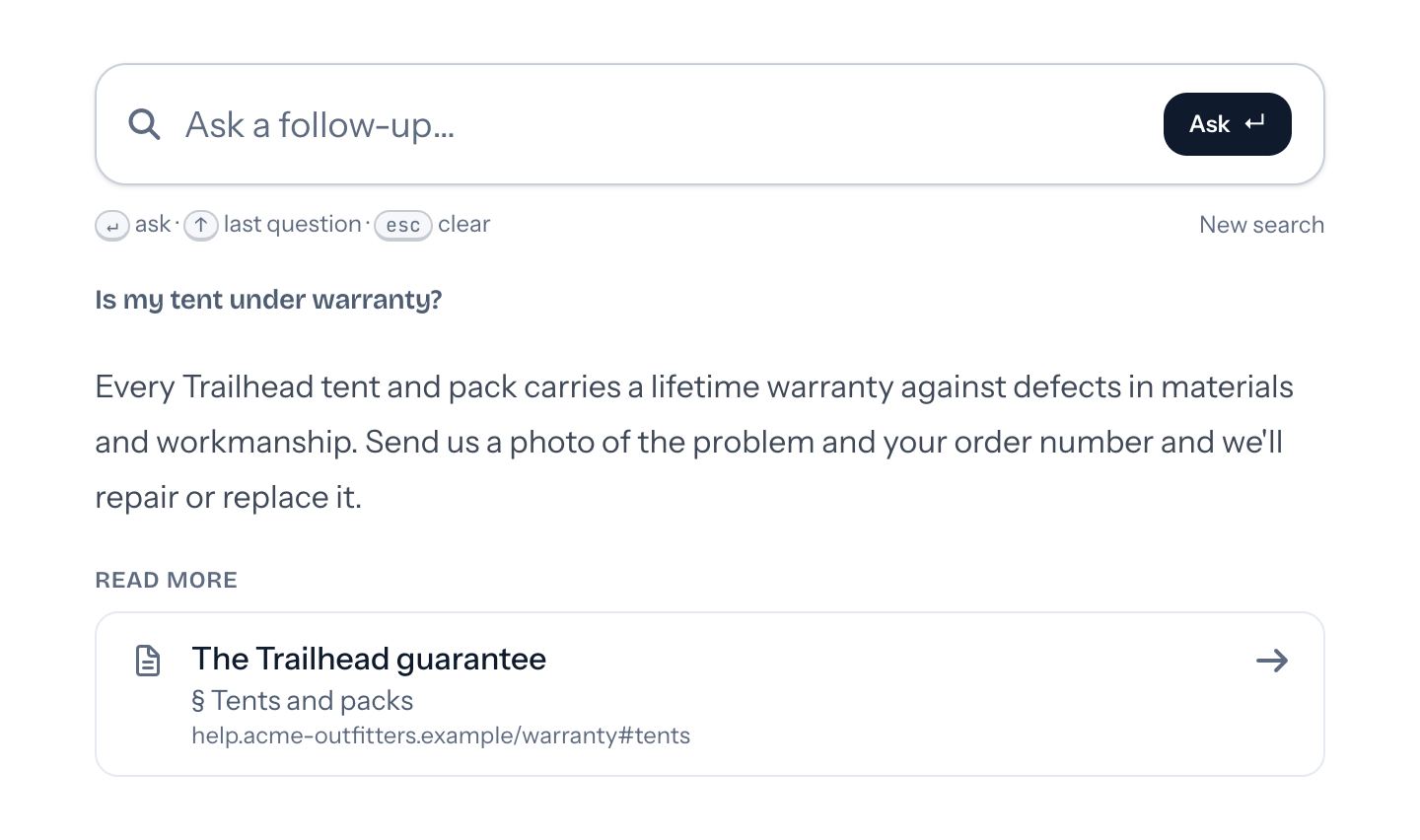
- Ask in plain words. A short answer and the pages to read.
- ⌘K from anywhere. Same script as the chat, one more tag where the box goes.
- Fast repeat answers. Answers to common questions come back instantly.
03 · Knowledge gaps
What it couldn't answer.

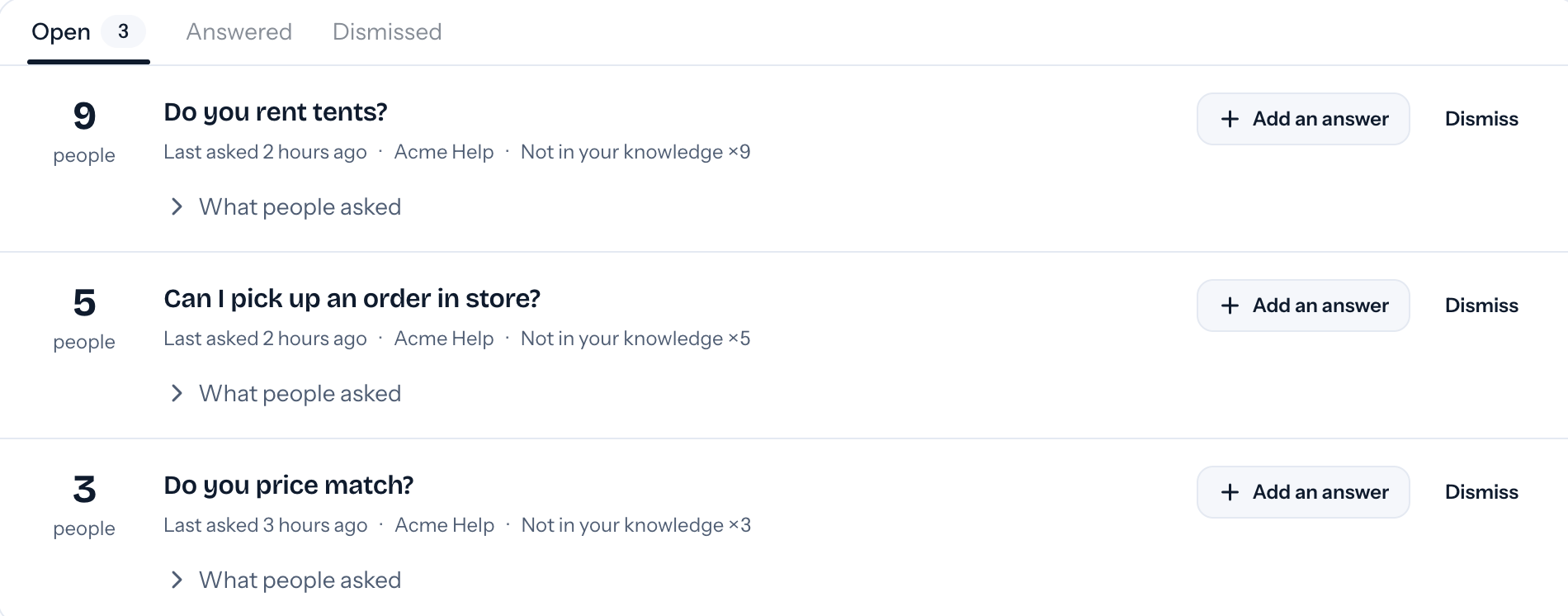
- Ranked. Unanswered questions, grouped and ranked by how many people asked.
- Answer once. Add an answer and your bot knows it from then on.
- Stays current. On Team, websites, GitHub and Confluence are read again every week.
04 · Human handoff
Pinged only when a person is needed.
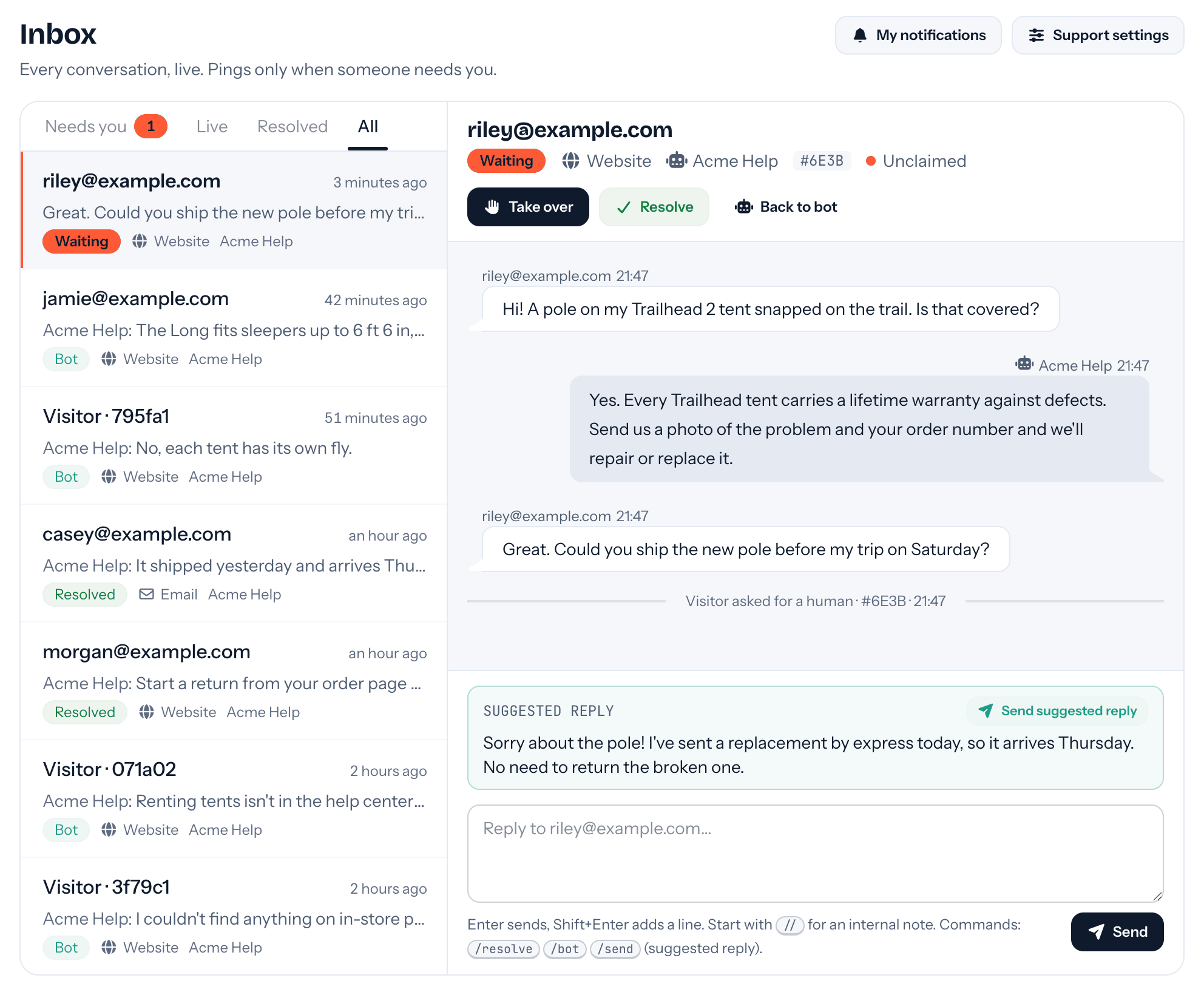
- The visitor asks, or the bot knows. Visitors can ask for a person, and it hands off by itself when your docs can't help.
- A summary and a draft. Every ping has a one-line summary and, when your docs cover it, a ready reply.
- Only when it matters. Someone asks for you, a request waits, or a visitor replies. Never because the bot answered.
05 · Reply
Reply from anywhere.

- By email. Answer the ping. Your reply lands in their chat, without the quoted text.
- In Slack. Each handoff is a card in your channel, with buttons to take, send and resolve. Its thread is the conversation.
- Even after they leave. Your reply follows them by email, and their answer comes back.
06 · Your look
Your colors, your Tuf.



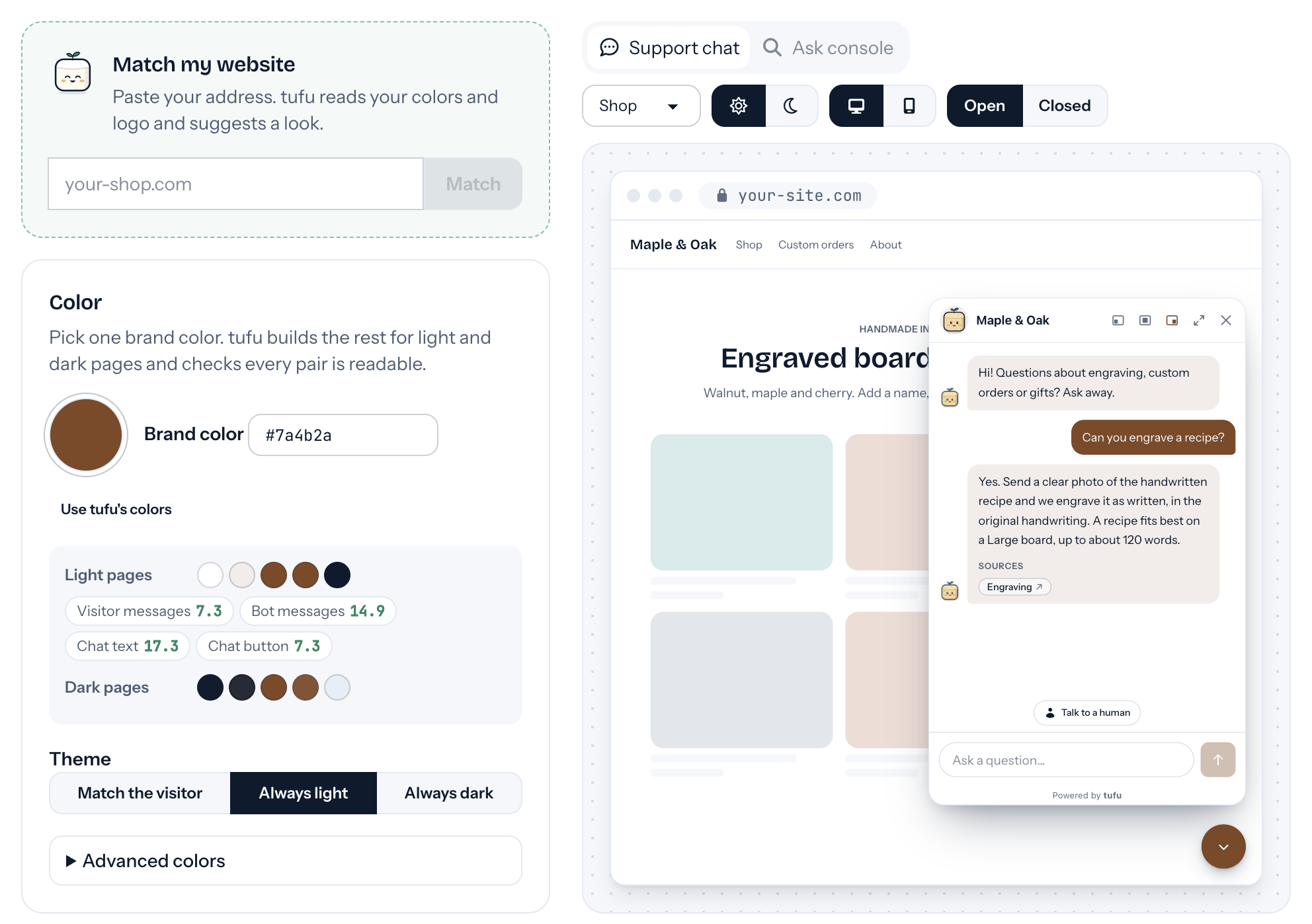
- Your colors. Pick one brand color. tufu builds light and dark and checks every pair is readable.
- Match my website. Paste your address and it suggests a look from your colors and logo.
- Preview first. Try your bot exactly as visitors see it, on desktop or phone, without touching your inbox.
And the rest
Your bot
- In your voice. Add instructions like “keep answers short” or “always reply in Spanish”.
- Your choice of model. On either plan, bring your own key from OpenAI, Anthropic, Google Gemini, xAI or OpenRouter and pick the model.
- Your own AI key. Run your bots on your own key. On Team, those answers are free and unlimited.
- No training on your data. Your docs and conversations are used only to answer for you.
- Abuse limits. Per-visitor and per-team limits keep spam, scripts and runaway costs out. A visitor who hits one is offered a person.
Knowledge and reports
- Your website. Help center or docs site, read page by page.
- Files. PDFs, Word documents, slides and text files.
- GitHub and zip files. Markdown docs from a repository, or a zip at a link.
- Slack and Confluence. Answers your team already gave, and wiki pages.
- One library, many bots. Give each bot the sources it should answer from.
- Reports. Who's asking, how often, and what. Export everything to CSV.
On your site
- Support chat. A chat bubble in the corner of your site, with a Talk to a human button.
- Any website. One script and one element, on any site builder or framework.
- Picks up where they left off. A chat survives page reloads and moving between pages.
- Allowed websites. Only the sites you list can show your bot, so nobody else spends your answers.
- Page rules. Show the bubble or search box only on the pages you choose, or hide it on some.
- Support email too. Forward your support address. The bot answers what your docs cover, in your name, and hands the rest to your inbox.
Your team
- A live inbox. Watch every conversation as it happens, and take over any of them without pinging anyone.
- Who gets pinged. Everyone, specific people, or take turns so each request has one clear owner.
- Reminders. A request nobody took goes to the whole team after the time you choose.
- Quiet and business hours. Quiet hours per person. Off hours, visitors see your offline message.
- Quick commands. /send, /resolve, /bot and // notes, in the inbox, email and Slack.
- A real name. Visitors see your first name when you join, never your email address.

Set it up before your next support email.
Free to start. Point it at your site and it's answering in about ten minutes.