

tufu for Discord
A Discord bot that answers from your docs, in a thread.
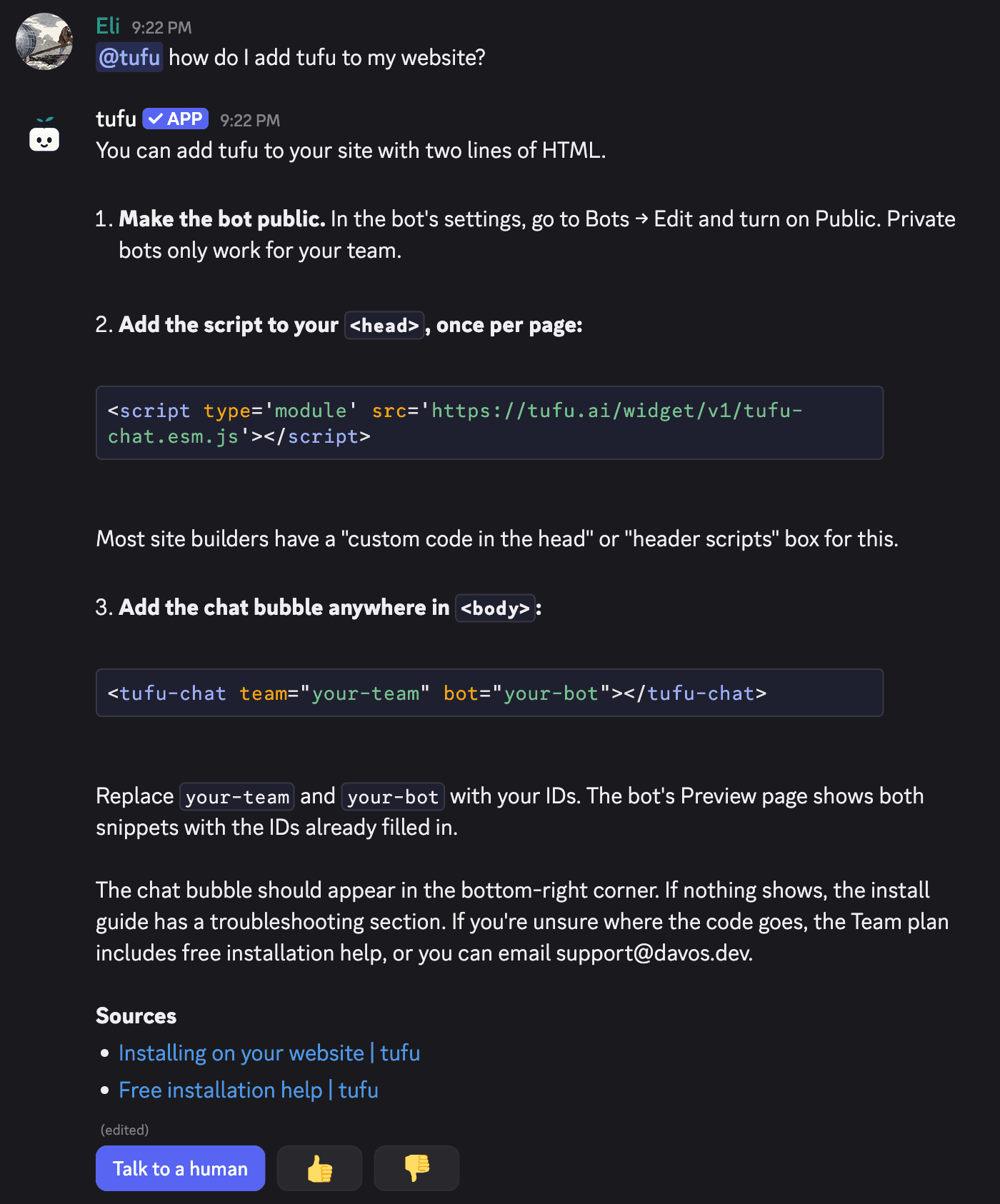
Your community asks in Discord. Members mention the bot or type /ask and get an answer with its sources. When someone needs a person, /human brings the thread to your team.
- Answers in a thread, never a ping
- Sources under every answer
- Part of the Team plan
Free US$0 · Starter US$19 · Team US$49 · Scale US$249 a month. One price for the whole team. No seats, ever.
What it does
Answers where your community already asks.
- Mention it, or use /ask. In any channel the bot can see, it starts a thread on the message and answers there. Follow-ups in that thread need no mention. Mentioned inside a thread or a forum post, it answers in place.
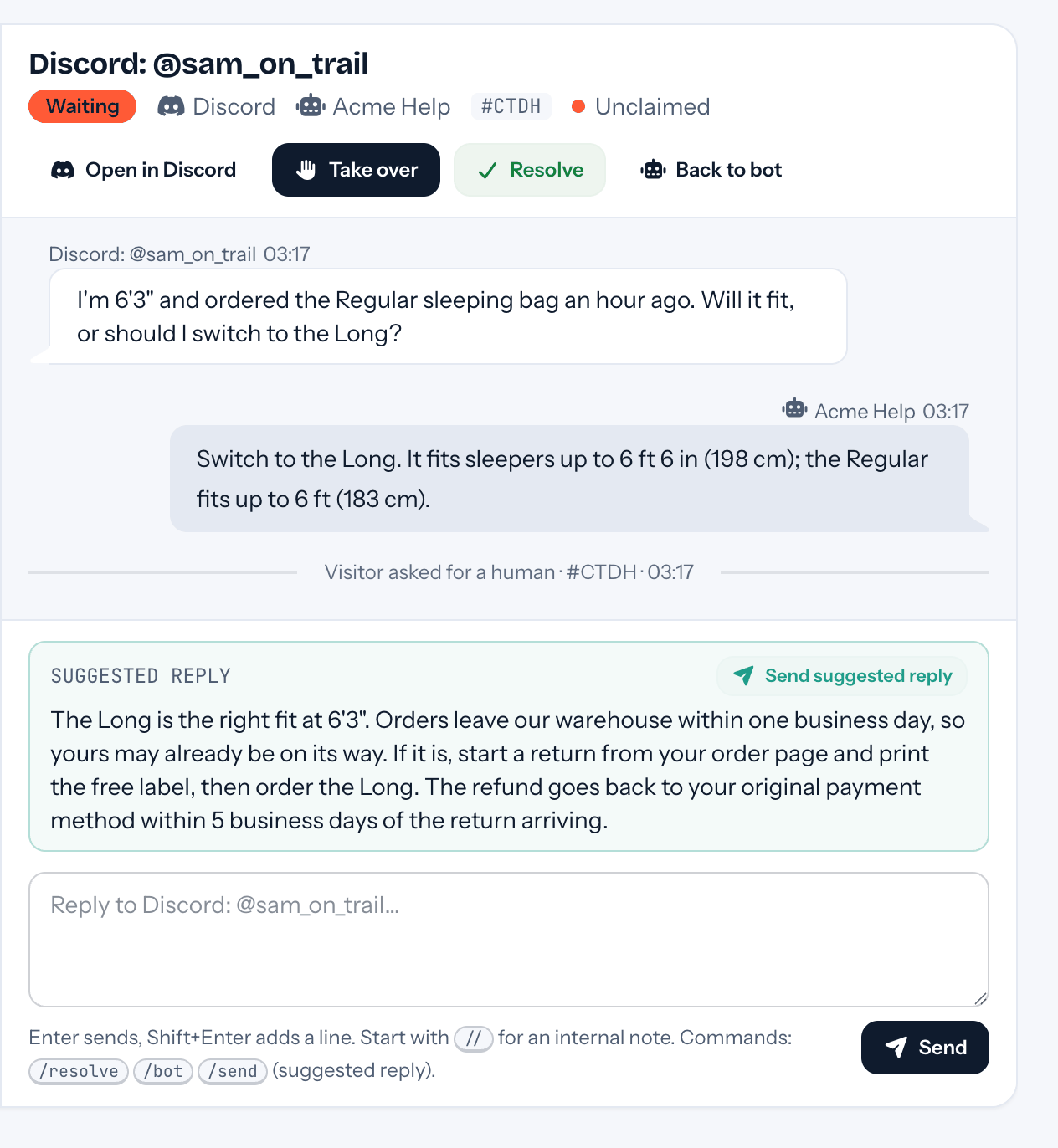
- /human, and a person takes over. Your team gets one ping, by email or in Slack, with a one-line summary, the thread so far and an Open in Discord link. While a person has the thread, the bot stays quiet.
- You reply from tufu. From the inbox, the notification email or Slack. Your reply posts in the member's thread as your first name at your team, never your email address.
- Thumbs up, thumbs down. Under every answer. A thumbs down lands in Knowledge gaps, so you write the missing answer once and the whole server gets it.
- One bot for the server, or one per channel. Let it answer anywhere it's mentioned, or only in the channels you list. A listed channel can have its own bot, or keep the bot quiet.
- It never pings anyone. The bot never mentions @everyone, roles or people, whatever a member types to it.
Set up
Add it to your server.
- 01In tufu, open Settings → Integrations and press Set up Discord. You need to be a team admin.
- 02Press Add to Discord and pick your server. Discord asks for the Manage Server permission there.
- 03Back in tufu, choose the bot that answers and where. For a private channel, add tufu to it in the channel's settings in Discord.
Plans
What it costs.
Discord is part of Team, $49 a month for the whole team. Each reply the bot writes in a thread counts as an answer. On Free, a mention gets one short line saying the bot isn't set up yet, and your admins get an email about it.
See pricingQuestions
Before you start.
What does tufu keep from my server?
Only what's meant for it: mentions of the bot, /ask and /human, its buttons, and the threads it started or answered in. Every other message is dropped as it arrives, without being stored.
Can I answer from Discord itself?
No. While your team has the thread, what you type there goes to your inbox like any member's message. Reply from tufu and it posts in the thread.
How many servers can I connect?
One per team. To move to another server, press Disconnect first; the bot leaves, your conversations stay.
Does tufu train AI models on my members' messages?
No. The conversations belong to your team and are deleted when you delete your team.
More places tufu works

Set it up before your next support email.
Free to start, no card needed. Point it at your site and it's answering in about ten minutes.
tufu is not affiliated with or endorsed by Discord. Discord is a trademark of its owner.