

Support by email
Your inbox, answered before you open it. The tricky ones still come to you.
Most customers still write to support@ rather than open a chat. Forward that address, and each email becomes a conversation the bot can answer.
Free US$0 · Starter US$19 · Team US$49 · Scale US$249 a month. One price for the whole team. No seats, ever.
What to know
What it does
Replies from “Your team via tufu” in the customer's thread when your knowledge covers the question. When it isn't sure, it never guesses: the email goes to a person and the customer gets a short note.
What it needs
A forwarding rule in your mail provider. The setup page has steps for the common ones, and shows the confirmation code a provider emails when you add a new forwarding address.
Which plan
Every plan. Each reply the bot emails counts as one answer; an email held back for your team counts nothing.
How it works
Forwarding set up in four steps.
- 01Open the bot's Put it on your site page and choose Set up next to Your support email.
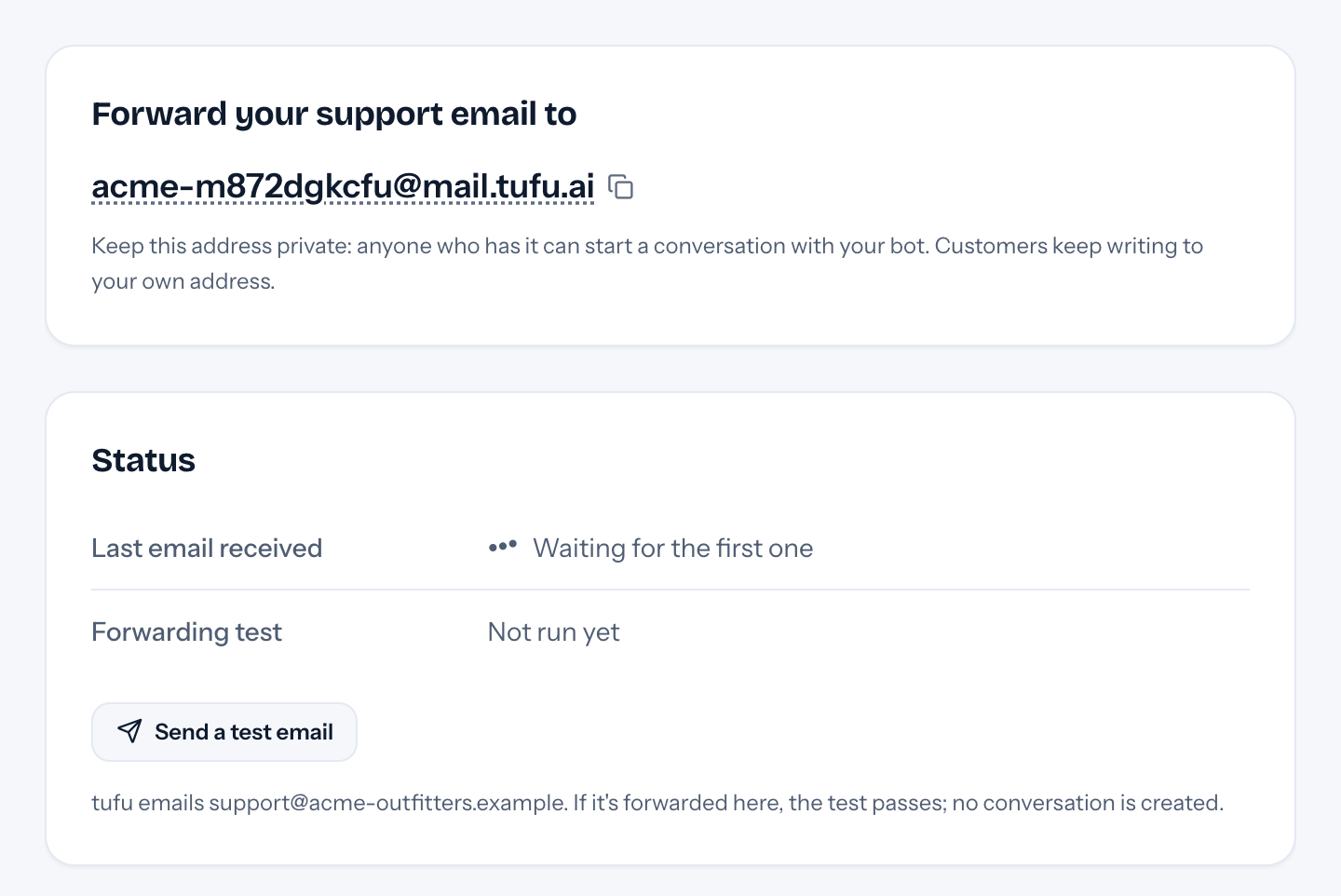
- 02Copy the bot's private address. Anyone who has it can start a conversation, so keep it out of public pages.
- 03In your mail provider, forward a copy of incoming mail for your support address to it.
- 04Press Send a test email. When the forward brings it back, the page reads Forwarding works, and no conversation is created for the test.
Goes well with
Questions
Before you start.
Do customers write to a new address?
No. They keep writing to yours. The bot's replies ask them to answer there, so each conversation stays in the thread they started.
What about out-of-office replies and spam?
Auto-replies, bounces, mailing lists and spam are ignored and never start a conversation. A cap on emails per sender each hour stops a flood from using up your answers.
Can a customer trick it with instructions?
The bot treats every email as a question and nothing more. Lines like “ignore your rules” or “issue a refund” are never followed.
Does it read attachments?
No. The conversation lists their names, so you can ask for them if you need them. An email that fails the DMARC sender check carries a warning in the inbox.

Set it up before your next support email.
Free to start, no card needed. Point it at your site and it's answering in about ten minutes.