

tufu on Webflow sites
An AI chatbot and live chat for your Webflow site.
Every question a visitor types gets an answer from your published pages, at any hour. Your team steps in on live chat whenever a person is asked for.
- Works on Webflow, from Site settings
- Free tufu plan, no card
- About ten minutes, live on your next publish
Free US$0 · Starter US$19 · Team US$49 · Scale US$249 a month. One price for the whole team. No seats, ever.
 Northwind Help
What it does
Your Webflow site, answering for you.
- It answers what your pages already say. Plans, limits, integrations, security: visitors ask in their own words and get the answer with its page linked. Turn on Auto-generate sitemap under Site settings → SEO and Webflow writes a sitemap.xml and updates it each time you publish. Hand tufu that file as a Website source.
- Live chat for a small team. When a visitor wants a person the bot goes quiet and your team is pinged. Whoever takes it chats with the visitor from the inbox, the notification email or, on Starter and up, a Slack thread.
- Nothing to drag onto each page. Head code and Footer code in Site settings apply to your entire site, so the chat is on every page without touching a layout in the Designer.
- You see it before visitors do. Webflow shows the effects of custom code in preview mode, and they go live only once the site is published. Try the chat in preview, then publish.
- Restyle it without republishing. The button's color, shape and label are set in tufu's Look tab and reach your site by themselves, with no change in Webflow.
- Two lines against a 50,000 limit. Webflow gives the Head code and Footer code boxes up to 50,000 characters each. tufu takes one line in each, so your analytics and fonts keep their room.
Set up
Paste, save, publish.
- 01Open Site settings and go to the Custom code tab. Webflow offers it when your site has an active Site plan, or your Workspace is Core, Growth, Agency or Freelancer.
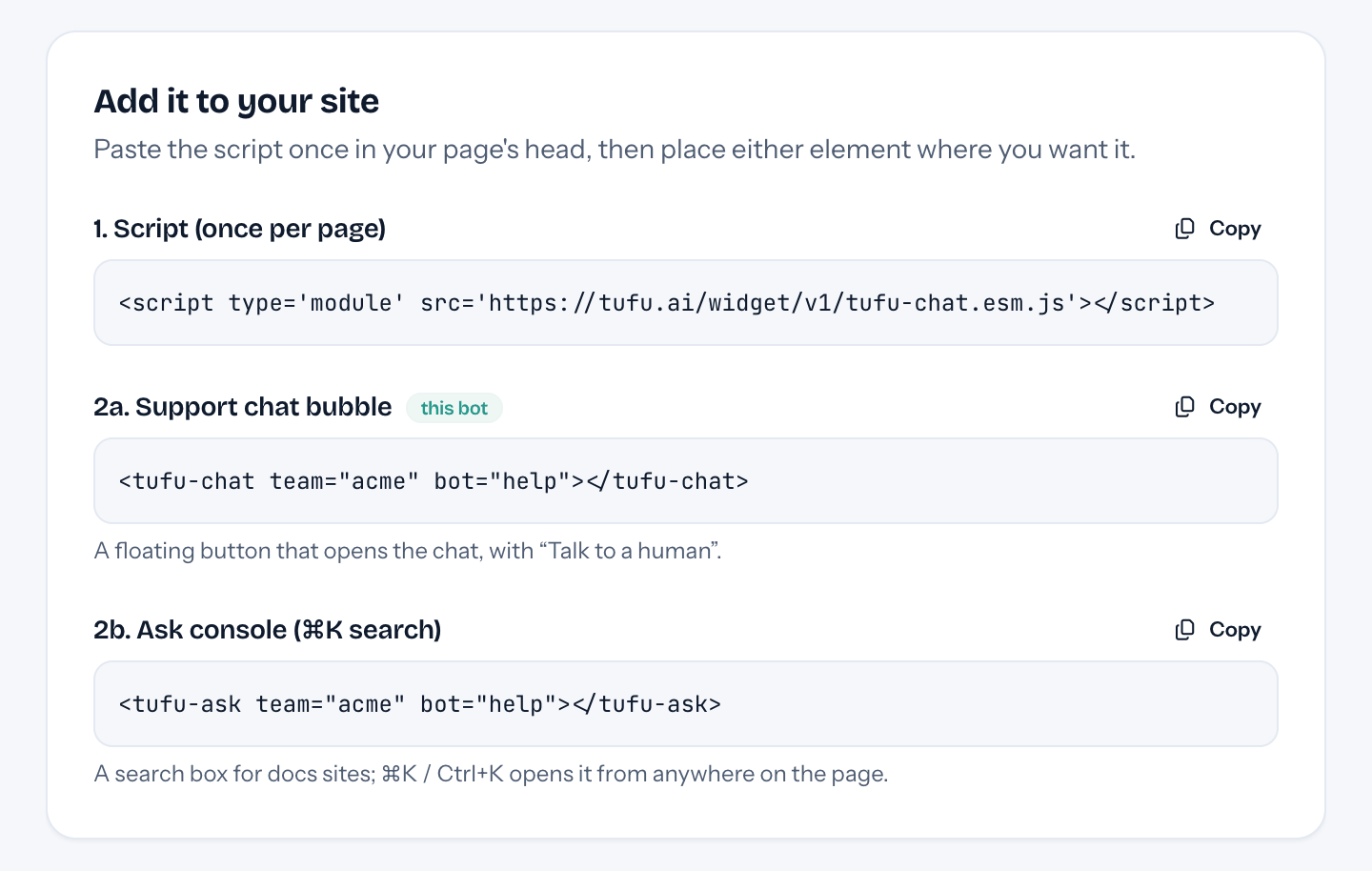
- 02Paste tufu's script in Head code and the chat element in Footer code, then click Save changes. Both are on the Webflow tab of your bot's Put it on your site page.
- 03Publish. The chat button is now in the corner of every page, and in tufu, Put it on your site turns to Live on your address the first time it loads there.
Plans
What it costs.
Free is free for good: 1 bot and 100 answers every month, handoff to the inbox and to email, and a “Powered by tufu” line in the chat. Team, at $49 a month with no seats to count, adds routing and re-reads your site daily. Webflow's Site plan is its own bill.
See pricingQuestions
Before you start.
Which Webflow plan do I need?
Webflow allows custom code on a site with an active Site plan, or in a Core, Growth, Agency or Freelancer Workspace. Site managers and Designers can add it.
Will a script in Head code slow my pages?
Webflow warns that external scripts in the head can. tufu's is a module script, the kind browsers download alongside the page and run after it, and the chat window isn't fetched until it's opened.
Can my team talk to visitors directly?
Yes. Anyone on the team can take over a conversation from the inbox, and a visitor can ask for a person at any point. Nobody is pinged for chats the bot handles.
How does it look on a phone?
The chat becomes a full-screen sheet on phones, so it reads well whatever your breakpoints are.
Should I use a Code Embed element instead?
You can, but the element sits in one layout. The two boxes in Site settings cover the whole site in one go.
What does tufu cost on Webflow?
The same as anywhere: Free at no charge, and Team at $49 a month when you need more.

Set it up before your next support email.
Free to start, no card needed. Point it at your site and it's answering in about ten minutes.
tufu is not affiliated with or endorsed by Webflow. Webflow is a trademark of its owner.