

tufu AI for WordPress
An AI chatbot for WordPress that shows its sources.
Answers from your own pages, each with its source, and a person when the bot can't help.
- Connect in a minute, no code
- No API key on your site
- Works on the Free plan
Free plugin, version 0.2.0 · 23.3 KB zip · WordPress 6.5 or newer. Download details
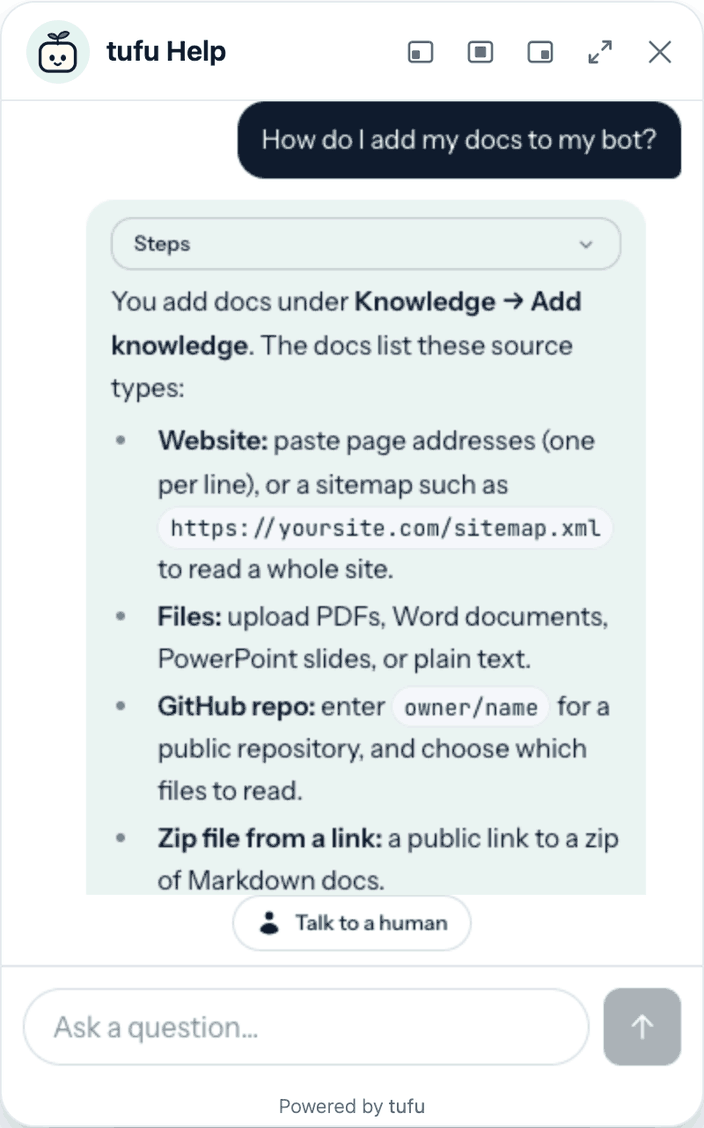
What it does
Support on every page, without touching your theme.
- Every answer cites its page. Visitors can check what the bot read, and so can you.
- A real person when it can't help. The visitor asks, or the bot hands off. You get one ping and reply from the inbox or email, and on Team from Slack or Discord too.
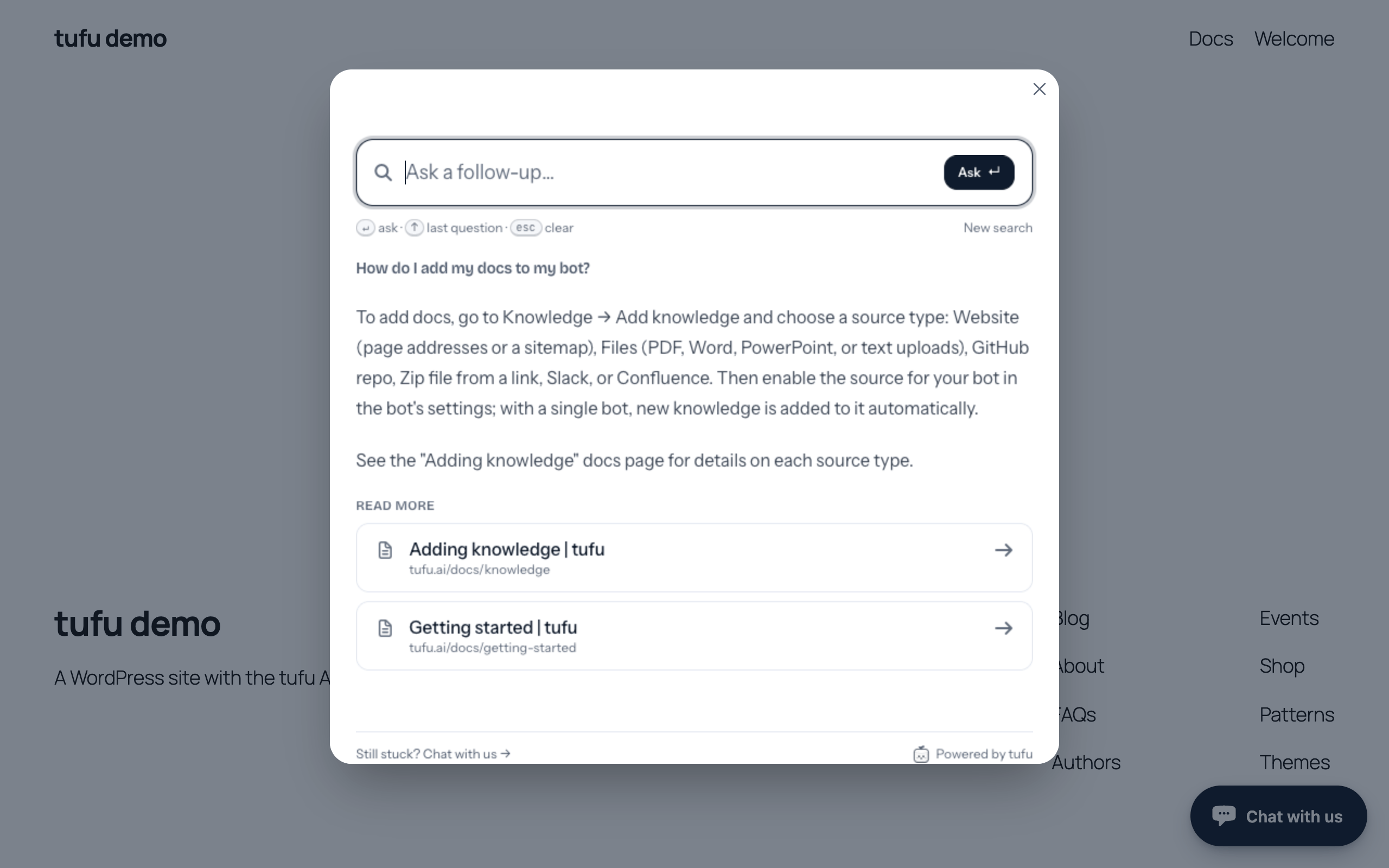
- A docs search box, not only a bubble. The tufu Ask block puts a search box for your docs on any page.
- Your pages, your rules. Show the bubble on every page, only some, or all but some. Hide it from logged-in admins.
- Set up in tufu, not in WordPress. Colors, greeting and what the bot knows change in tufu and reach your site without a plugin update.
- Nothing secret on your site. Connecting sends back the bot's public IDs only. No API key, no password.
Install
Three steps, about a minute.
- 01Download the plugin's zip from this page.
- 02In WordPress, go to Plugins → Add New Plugin → Upload Plugin, choose the zip, then Install Now and Activate.
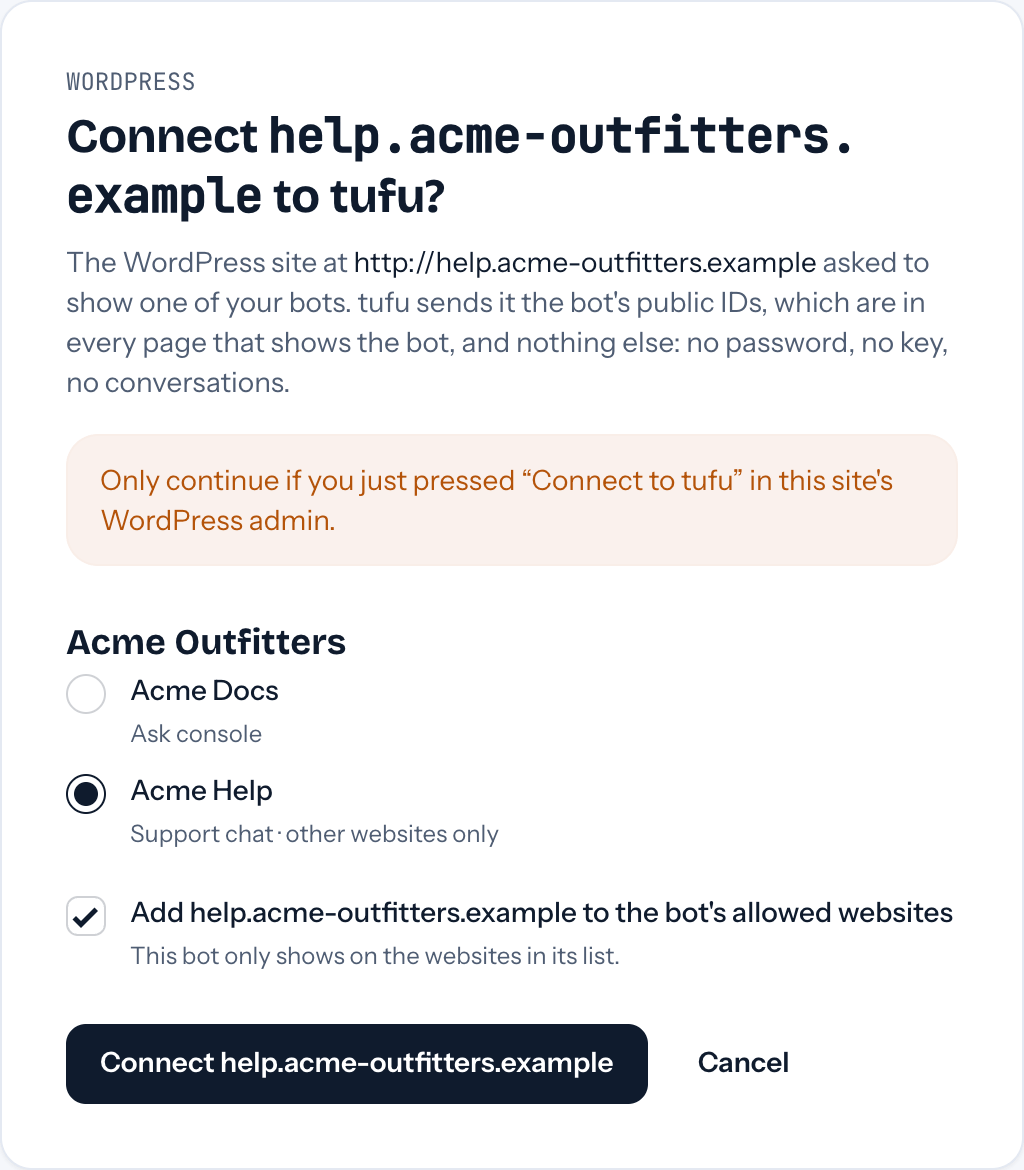
- 03Go to Settings → tufu AI and press Connect to tufu. Sign in or create a free account, pick your bot, and you're back with it on your site.
New to tufu? Connecting can make your first bot for you. Then teach it your site in tufu, under Knowledge, so it has something to answer from.
The tufu Ask block
A search box that answers from your docs.
Add the tufu Ask block, or the [tufu_ask] shortcode, to any page. Visitors ask in plain words and get a short answer with the pages to read. Ctrl K (⌘K on a Mac) opens it from anywhere on the page.
Plans
The plugin is free. So is the plan it starts on.
Free
One bot, with the chat bubble and the Ask block on as many pages as you like, 200 answers a month on tufu's AI, and handoff to your inbox and email. A small “Powered by tufu” link shows.
Team
Unlimited bots (a support chat and a separate docs bot for the Ask block, say), 4,000 answers a month, no “Powered by tufu”, and handoff to Slack and Discord too.
See pricingThe plugin has no locked features: it works the same on every plan. Plan limits are set and counted by tufu, not by the plugin.
Questions
Before you install.
Does it slow my site down?
tufu's script loads only on the pages that show the chat or the Ask block, as a small module after the page, and browsers cache it. The chat itself loads only when a visitor opens it.
What does the plugin send to tufu?
When you press Connect to tufu, your browser takes your site's address to tufu, and comes back with the bot's team and bot IDs, which are public. When a visitor opens the chat or the Ask block, what they type goes to tufu so the bot can answer. The plugin stores only its settings on your site (and, for 30 minutes while you connect, a one-use code) and sets no cookies.
Where do the answers come from?
From what you teach your bot in tufu: your website, help center, files or docs. Conversations are kept in tufu, where your team sees them in the inbox. How we handle data is in the Privacy Policy.
Is it in the WordPress plugin directory?
Not yet. It's on its way to the directory; until it's listed, download it here. We've asked for the folder name it uses now (tufu-ai); if the directory keeps it, WordPress will update it from there like any other plugin.
What happens when I delete it?
Deleting the plugin removes its settings from your site (from every site, on a multisite network). Your bot and its conversations stay in tufu.
I used the plugin called “tufu” (0.1.0).
Install tufu AI and activate it: it takes over the old plugin's settings and switches it off. Then delete the old one.
Download
tufu AI 0.2.0
Free, GPLv2 or later. Upload the zip in Plugins → Add New Plugin → Upload Plugin.
- Version
- 0.2.0
- Size
- 23.3 KB
- Requires
- WordPress 6.5 or newer, PHP 7.4 or newer
- SHA-256
- d244ab097012b0b86c447a3513c7b68144575de2e07be0470b82657bcd61c4e7

Set it up before your next support email.
Free to start. Point it at your site and it's answering in about ten minutes.
tufu is not affiliated with or endorsed by the makers of these products. WordPress is a trademark of the WordPress Foundation.