

For software and SaaS
Your users ask how. Your docs already say. The rest comes to you, summarized.
Most tickets for a software product are the same twenty questions about setup, limits and settings. tufu answers those from your help center and leaves your team the conversations that need someone who can see the account.
Free US$0 · Starter US$19 · Team US$49 · Scale US$249 a month. One price for the whole team. No seats, ever.
What to know
What it does for you
Answers product questions on your marketing site, inside your app and from your support address, links the page it used, and hands account problems, billing disputes, bugs and anything it can't answer to your team.
What it needs
Your help center or docs as a website source, and the chat element on the pages your users visit. A forwarding rule on your support address brings email into the same inbox.
Which plan
Free covers one bot with handoff by email. Team adds Slack, routing, business hours, the full Reports page and more bots.
How it works
From docs to answering users.
- 01Add your help center under Knowledge. tufu reads the main text of each page, with its headings, so answers can link the exact section.
- 02Paste the chat element on your marketing site and in your app's layout. One bot can cover both, or give the app a bot of its own and set each bot's allowed websites to just its own subdomain.
- 03Forward your support address to the bot. Emails it can't answer for sure go to your team, and the user gets a short note that someone will reply.
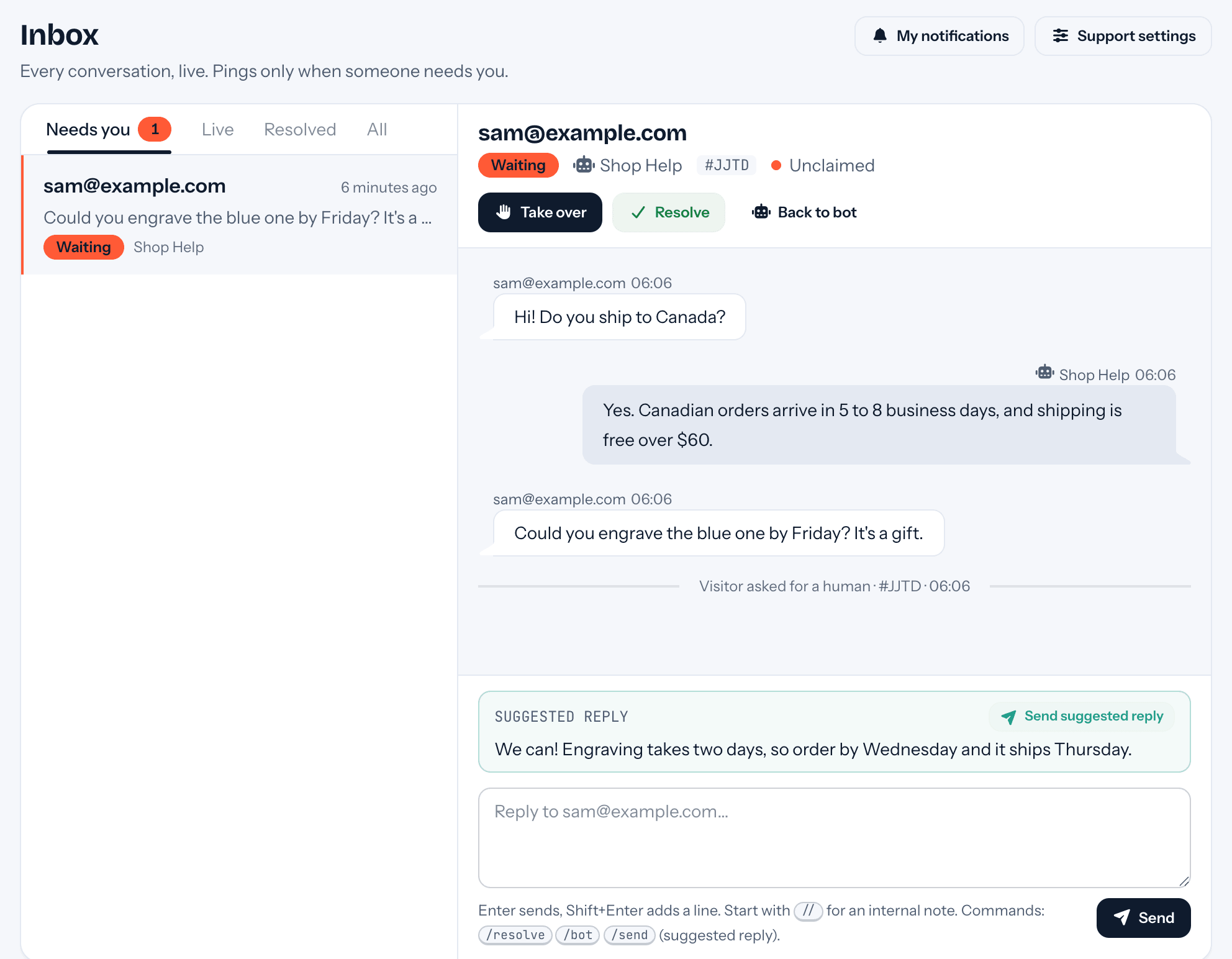
- 04Watch the Live tab for a day. Step in with Take over, without anyone being pinged, wherever you'd have said it differently, and use Fix this answer so it says it your way next time.
Goes well with
Questions
Before you start.
Can it see a user's account?
No. It answers from your docs and nothing else, so when a question depends on someone's account, plan or data, it hands the conversation to your team with a summary instead of guessing.
How do I know which docs pages are failing?
Reports ranks the pages of your site whose chats went to your team most, with how many started there. Knowledge gaps ranks the questions themselves, grouped however it was phrased.
We ship every week. Will answers go stale?
Press Re-read on the source after a release and only changed pages are processed again. On Team a website source can refresh itself every week.
Does every engineer need a seat?
There are no seats on any plan. Invite whoever helps with support: everyone can see every conversation, and you're pinged only when a user needs a person.

Set it up before your next support email.
Free to start, no card needed. Point it at your site and it's answering in about ten minutes.