

Human handoff
One ping when someone needs you. Reply from wherever you are.
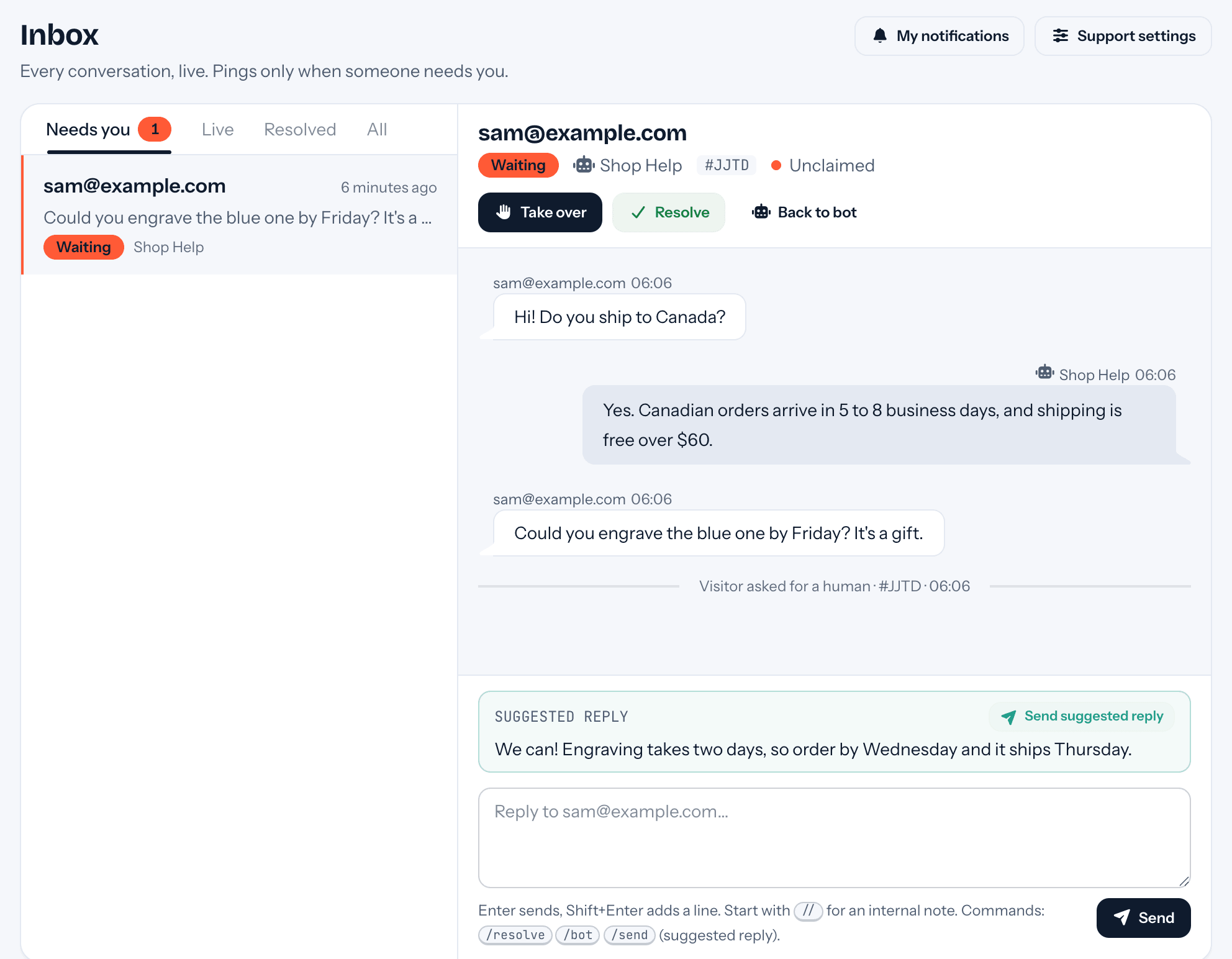
You can watch every conversation, but you're only interrupted when a person is needed, and the ping already says what it's about.
Free US$0 · Starter US$19 · Team US$49 · Scale US$249 a month. One price for the whole team. No seats, ever.
What to know
What it does
Hands a chat to your team when the visitor presses Talk to a human, asks for someone in their own words, or brings up something only you can do, like billing disputes or a bug.
What it needs
Nothing to install beyond the chat. Each teammate chooses their own pings under Settings → My notifications, and replies by email work from any mail app on a phone.
Which plan
Handoff, the inbox and email replies are on every plan. Slack threads, specific people, take-turns rotation, reminders, business hours and quiet hours come with Team.
How it works
What happens after Talk to a human.
- 01The chat asks where to reach the visitor first, so your reply can still find them if they leave. Outside business hours it tells them when you're back.
- 02Your team gets the conversation so far, a one-line summary, and a suggested reply written from your docs when they cover it.
- 03Answer in the inbox, reply to the notification email, or write in the Slack thread. The visitor reads it in the chat with your first name only.
- 04If they've left the page, tufu emails your reply, and their answer to that email lands back in the same conversation.
Goes well with
Questions
Before you start.
When exactly do I get pinged?
Three times only: a visitor asks for a human, a request is still waiting after your reminder time, or a visitor replies in a conversation you took. Never because the bot answered or a chat started.
Can I reply without opening tufu?
Yes. Reply to the notification email and it reaches the visitor without the quoted text or your signature. Commands like /send and /resolve work there too.
Can I step in before anyone asks?
Yes. The Live tab shows every conversation active right now; Take over joins one without pinging anyone, and you get a suggested reply when you do.
Does the bot learn from my reply?
If you want it to. Once you resolve, Save your reply as an answer? turns what you said into the bot's answer to that question.

Set it up before your next support email.
Free to start, no card needed. Point it at your site and it's answering in about ten minutes.