

Your community asks in Discord. Add tufu there and members get answers in a thread, with links to the pages
the answer came from. When someone needs a person, /human hands the thread to your team. You reply from tufu, and
your reply shows up in the same thread.
Discord is part of the Team plan.
Add tufu to your server#
- In tufu, open Discord. You need to be a team admin.
- Press Add to Discord.
- Discord asks which server to add it to. You need the Manage Server permission there.
- Confirm. Back in tufu, the page shows your server.
Found tufu in Discord instead? Press Add App there. It brings you to tufu first: sign in (or sign up) and you land on your team's Discord page. Add it from there, so the server is tied to your team. If you aren't an admin of any team, ask one of your admins to add it.
Each team has one server. To move tufu to another server, press Disconnect first. The bot leaves the server, and your conversations stay in tufu.
Which bot answers, and where#
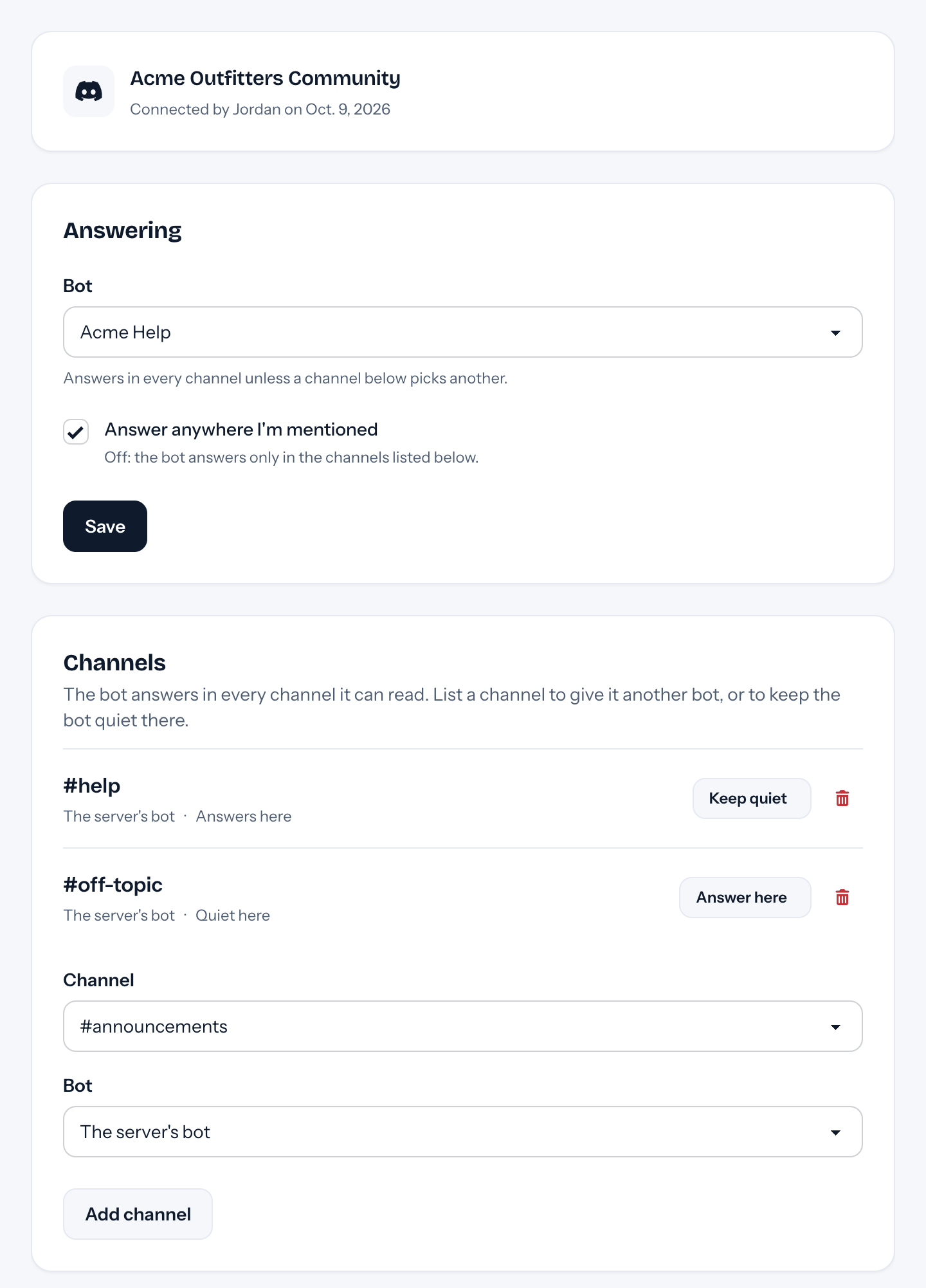
- Bot: the bot that answers in this server.
- Answer anywhere I'm mentioned: on, the bot answers in every channel it can see. Off, it answers only in the channels you list.
- Channels: list a channel to give it its own bot, or to keep the bot quiet there.
The bot needs to see a channel to answer in it. For a private channel, add tufu to it in the channel's settings in Discord.
Ask a question#
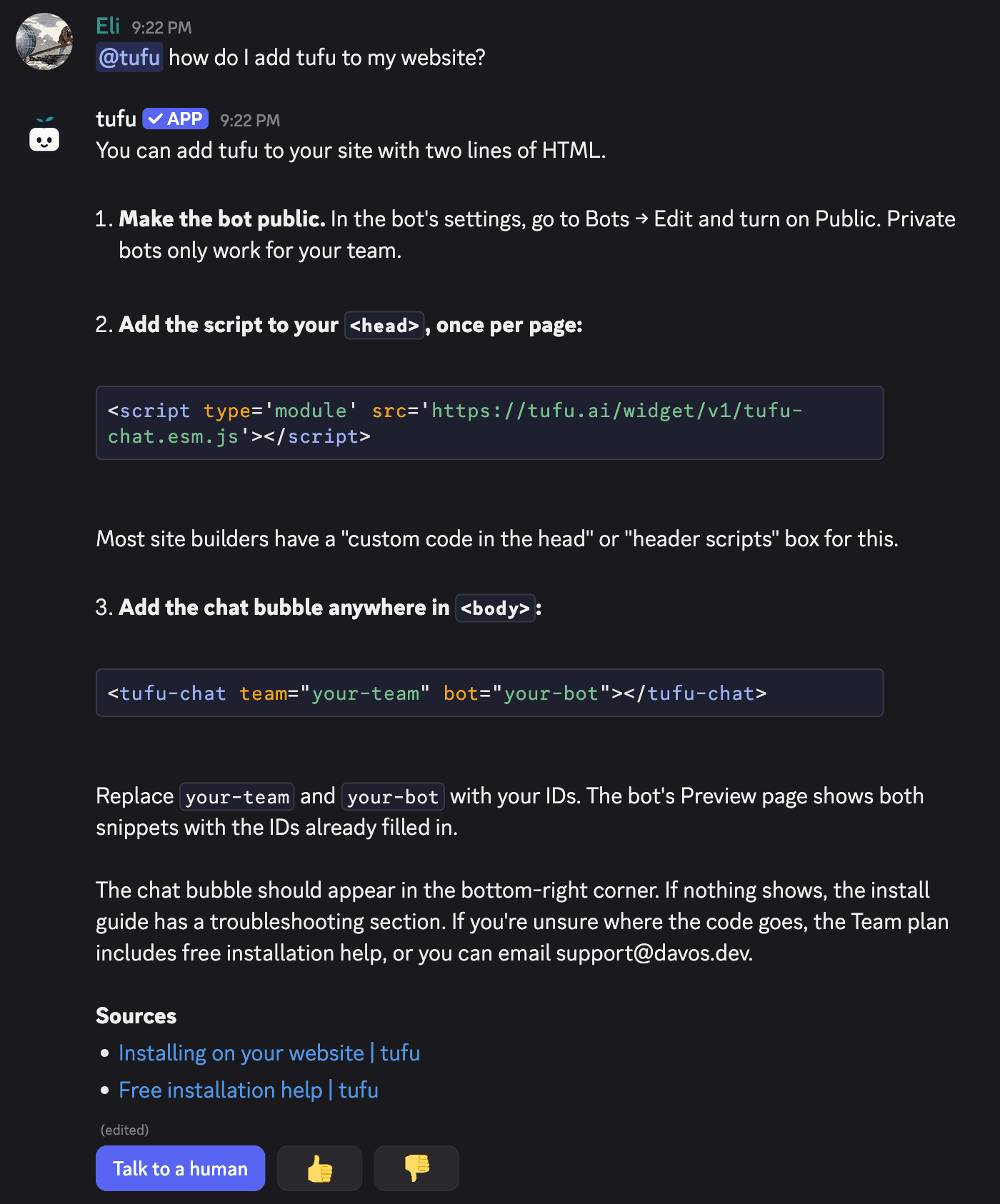
- Mention the bot:
@tufu how do I restart my server?The bot starts a thread on your message and answers there. Mention it in a thread or a forum post and it answers right there. - Type
/askand your question. The answer comes in a thread too. - Keep going: in the bot's thread, just write your follow-up. No need to mention it again.
A long answer comes in several messages, with the sources at the end. Under each answer:
- Talk to a human hands the thread to your team. It shows when the bot can hand off (you set that in the bot's settings).
- 👍 / 👎 tell you whether it helped. A 👎 shows up under Knowledge gaps, so you can answer that question once for everyone.
Each reply the bot writes in a thread counts toward your plan, the same as a reply in a chat (how many answers).
Hand off to a person#
A member types /human in the thread, or presses Talk to a human. In a channel, /human starts a thread first.
The bot may also hand off by itself when it can't help, as on your website.
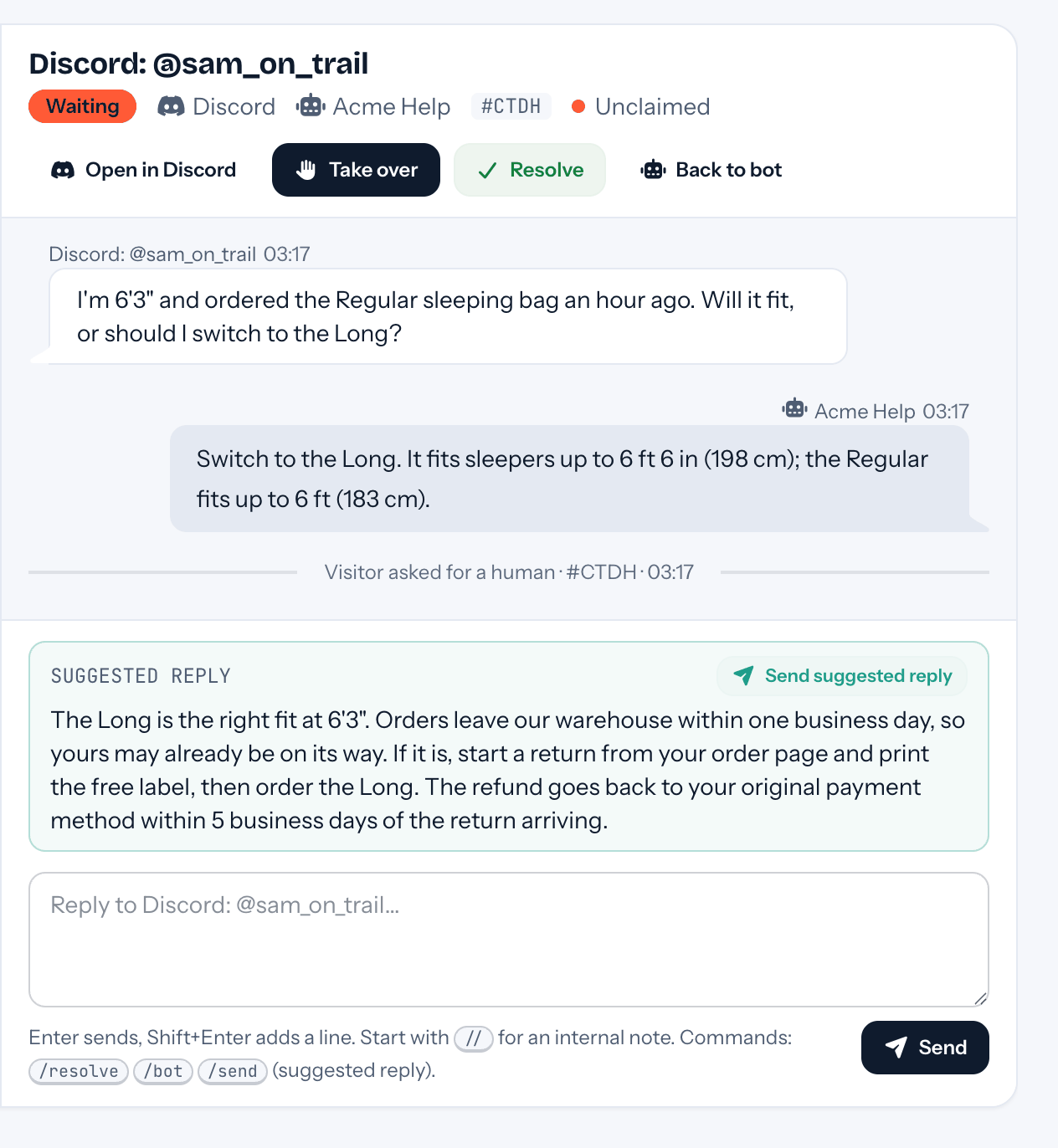
Your team gets the usual ping, by email or in Slack, from Discord: @name: a one-line summary, the thread so far and an Open in Discord link. The conversation waits in your inbox under Needs you, with a suggested reply when your docs cover it. While a person has the thread, the bot stays quiet, and what members write there goes to your inbox.
Reply from tufu#
Reply from the inbox, from the notification email, or from Slack, as for any handoff. tufu posts your reply in the thread as Your first name at your team: your reply.
You can't reply from Discord itself. While the thread is with your team, what you type there goes to your inbox, like any member's message.
When you resolve the conversation, or hand it back to the bot, the thread gets a short line saying so. After that, the bot answers in the thread again.
If the thread was deleted in the meantime, your reply can't be posted. The inbox shows a note on the conversation.
What members see#
- Answers in a thread, never a ping. The bot never mentions
@everyone, roles or people, whatever anyone types. - Your replies, with your first name and your team's name. Never your email address.
- If your team is on the Free plan, a mention gets one short line saying the bot isn't set up yet, and your admins get an email about it.
Privacy#
tufu keeps only the messages meant for it: mentions of the bot, /ask and /human, its buttons, and every message
in a thread the bot started or answered in. For those it keeps each member's Discord user ID and username, never a
display name. Every other message in your server is dropped as it arrives, without being stored.
These conversations belong to your team. tufu doesn't train AI models on them. They stay in tufu as long as your team keeps them, even after you disconnect the server, and they're deleted when you delete your team.
Let your members know that what they ask the bot reaches your team through tufu. A member who wants their messages deleted can ask your team, or email us with their Discord username (and user ID if they have it) and the server's name: . If a member asks you, forward the request to us at that address. We delete what we find and let your team know. The details are in the Privacy Policy.
Troubleshooting#
- The bot doesn't answer: check that it can see the channel and send messages in threads, that the channel isn't kept quiet on tufu's Discord page, and that Answer anywhere I'm mentioned is on (or the channel is listed).
/askand/humandon't show up: new commands can take a while to appear after tufu is added. Try again later, or restart Discord.- "I couldn't start a thread here": the bot needs permission to create public threads in that channel, or the server has too many active threads. Ask inside a thread instead.