

You can set your own monthly limits, on every plan. Team admins set them; they only ever lower usage:
- A monthly answer limit for each bot, in answers on tufu's AI. Useful when one bot runs a strong model: on Claude Opus 5.5, high reasoning, one reply counts 222 answers, so a busy bot could use your team's month in a day. A limit also bounds what one busy visitor can use.
- A monthly reply limit for each of your own AI keys, in replies through that key, whatever the model.
When a bot reaches a limit, it stops answering until the month resets, and your other bots keep going. Raising the limit starts it again straight away.
Limits only lower usage#
tufu's own limits, like your plan's monthly answers and the usage limits, always apply, whatever limits you set. Your limits come on top: they can stop a bot sooner, never later. Plan and usage lists the limits tufu sets under Limits tufu sets.
A bot's monthly answer limit#
Edit the bot, and in its AI section, under the model and reasoning, fill in Monthly answer limit. Leave it blank for no limit.
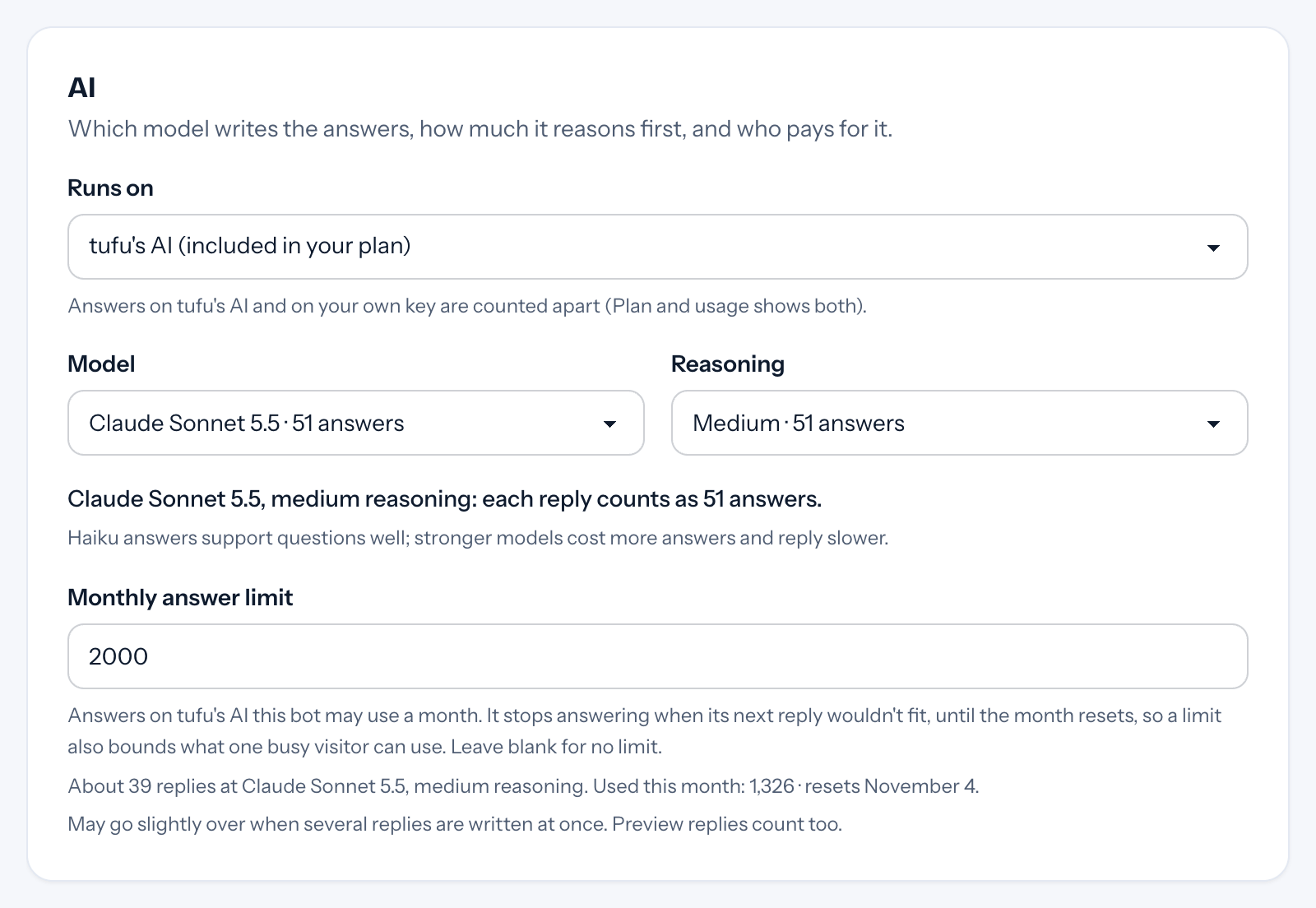
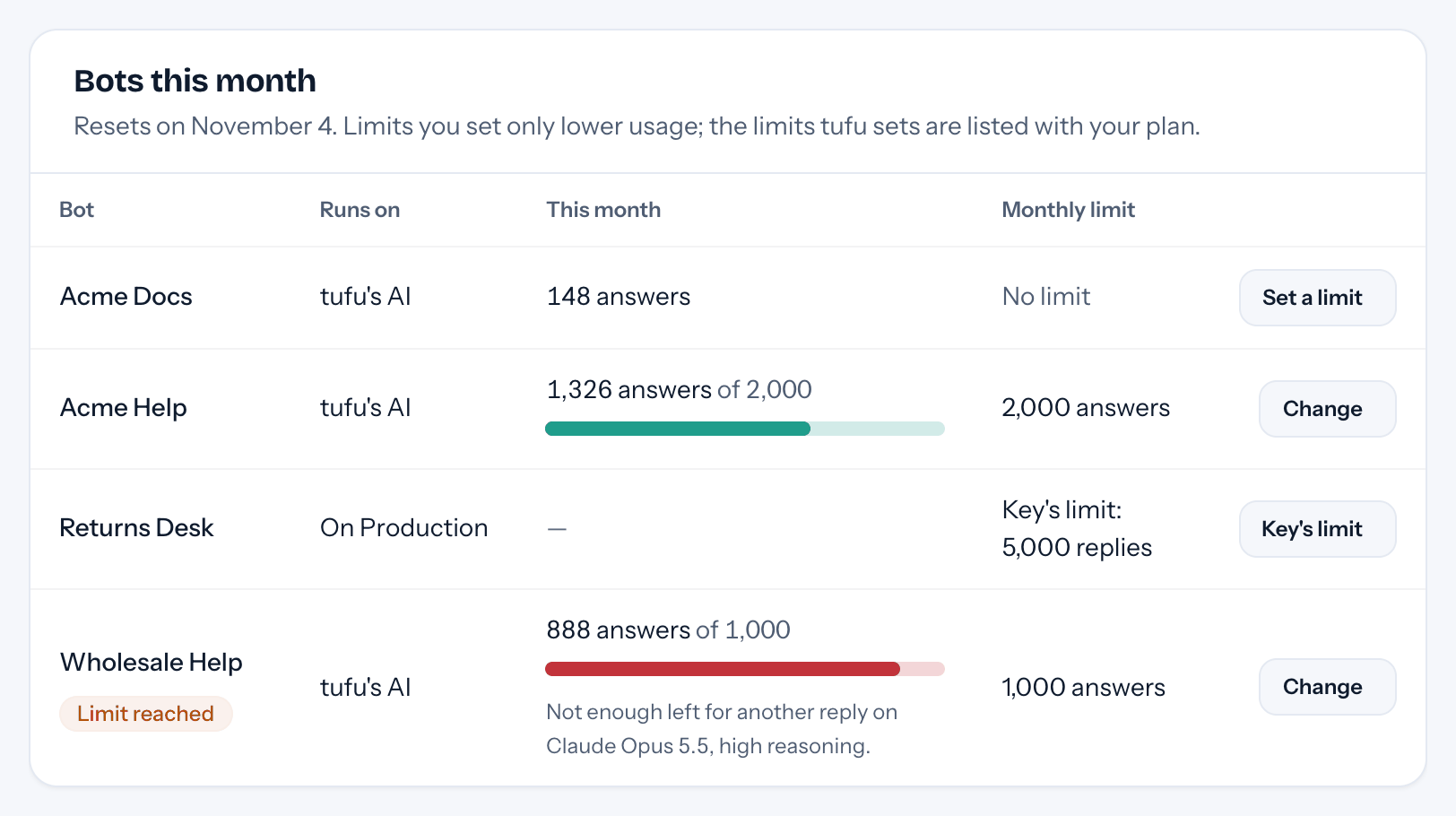
- It's "never more than" the limit. The bot stops when its next reply wouldn't fit. With a limit of 1,000 on Claude Opus 5.5, high reasoning (222 answers a reply), it stops at 888, because one more reply would pass 1,000. The form says how many replies the limit is at the model you picked.
- It can't be less than one reply on the model the bot runs, or the bot could never answer.
- It counts every answer the bot uses on tufu's AI, included and extra alike. Buying a pack doesn't raise it.
- It applies on tufu's AI only. While the bot runs on your own key, the key's limit applies instead; the bot's own limit is kept for when it's back on tufu's AI.
- If you lower it below what the bot already used, the form warns you: the bot stops as soon as you save.
A key's monthly reply limit#
Open Bots, and under Your own AI keys edit the key (or set it when you add one). Fill in Monthly reply limit. Every reply through the key counts one, whichever bot and model wrote it.
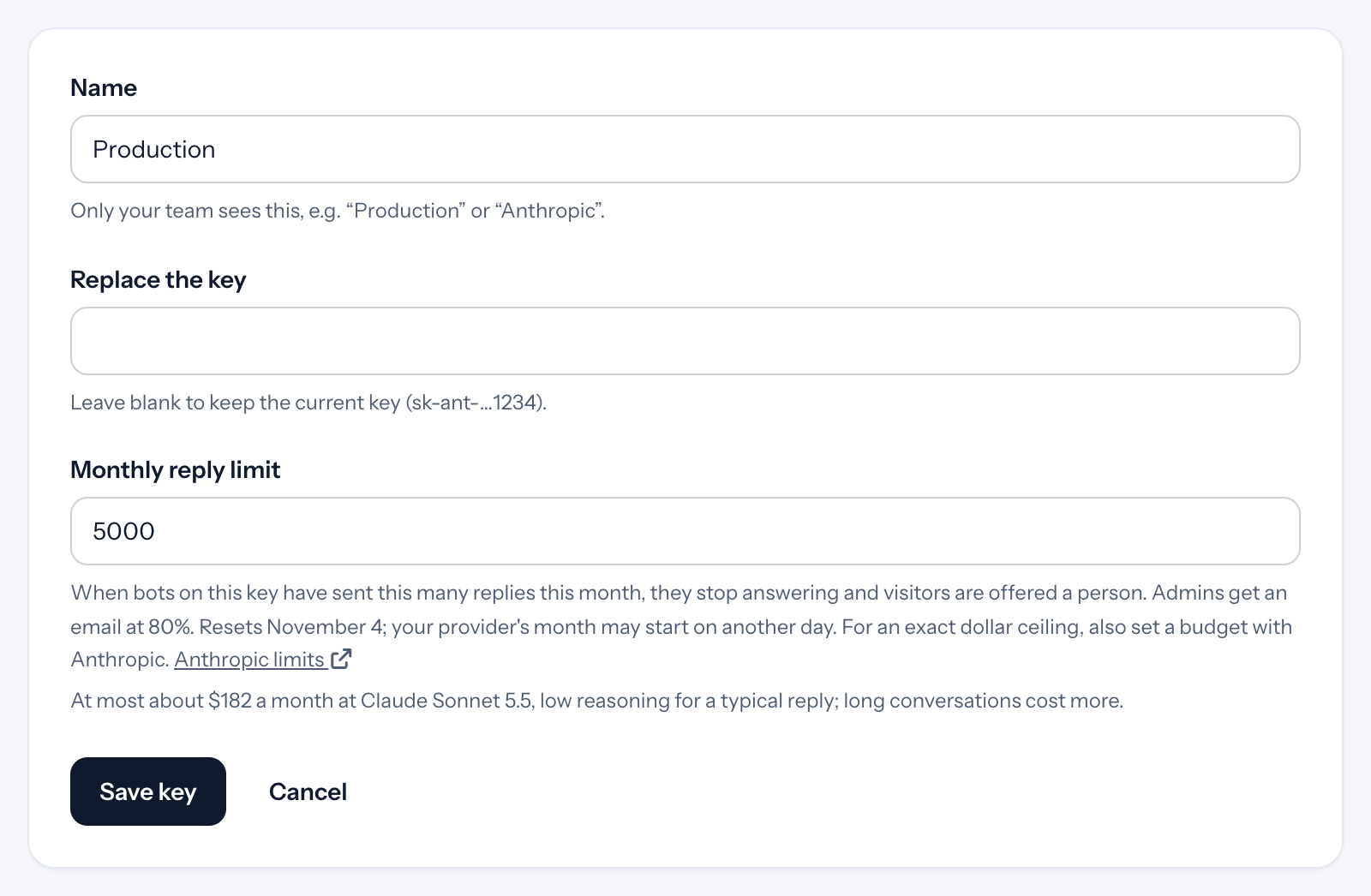
Editing a key with bots on it, the form turns the number into dollars: what that many typical replies cost at list prices, on the most expensive bot on the key. It's an estimate. Long conversations cost more, and some models have no listed price.
Set your provider's budget too. A reply limit is exact in replies, not in dollars. For an exact dollar ceiling, set a spending limit or budget with your provider as well; the key's form links to the page:
- OpenAI: spending limits
- Anthropic: spending limits
- Google Gemini: spending limits
- xAI (Grok): spending limits
- OpenRouter: spending limits
OpenRouter lets you set a credit limit on each key. Your provider's month may start on a different day from tufu's. If a provider turns your key down because it's out of credit or past a limit you set there, your bots offer a person and your admins get an email (Bring your own model).
To give each bot its own budget, give each bot its own key: providers let you make a key per project.
On Free, answers on your own keys also stop at 1,000 a month across all your keys, whichever comes first.
Plan and usage#
Plan and usage shows each key's replies this month, about what they cost, and its limit, and Bots this month shows each bot's answers against its limit.
What visitors see#
The same as for any limit: visitors never hear about limits. A bot at its limit says it can't answer right now and offers Talk to a human when handoff is on, so turn on handoff for any bot with a limit. Support emails to the bot go to your inbox for a person to answer. In Slack, the bot says which limit it reached and when it's back, since the people there are your team.
Repeat questions in the Ask console are still answered from the cache at a limit, for answers cached since the bot's settings were last saved: cached answers are free and don't count.
Emails#
Your team's admins get an email when a bot or key has used 80% of its limit, and another when it reaches it, each with a button to change the limit. Each goes out once a month per limit; change the limit, even back to an earlier value, and they can come again. Saving a limit sends nothing by itself.
Good to know#
- It may go slightly over when several replies are written at once: each is checked before it's written, and counted after.
- Replies in Preview count, toward both limits, like they count toward your answers.
- Limits reset with your answers, on the date Plan and usage shows.
- Removing a key moves its bots to tufu's AI on Claude Haiku 5.5, where any monthly answer limits apply.
- A limit can be up to 10,000,000.