

Your bot is only as good as what it has read. Knowledge gaps shows you the questions it couldn't answer well, grouped and ranked by how many people asked. Answer a question once and your bot answers it from then on.
Open it from Knowledge gaps in the sidebar. The number next to it is how many gaps are open.
What counts as a gap#
A question shows up here when:
- Nothing in your knowledge came close. The bot searched your sources and found nothing on the topic.
- The bot wasn't sure. It told the visitor it didn't know.
- It answered without your knowledge. It found related pages but none of them answered the question.
- The conversation went to a person. The visitor pressed Talk to a human, the bot handed off by itself, or a teammate took over.
Only real visitor conversations count: your own test chats in Preview don't, and neither do team members chatting with the bot while signed in. Questions from your Slack bot count too.
New questions are sorted every couple of minutes. Each one is reworded as a short, self-contained question (personal details like names and order numbers are left out), then grouped with the other times it was asked, however it was phrased. A note at the top of the page tells you when some are still being sorted.
Reading the list#
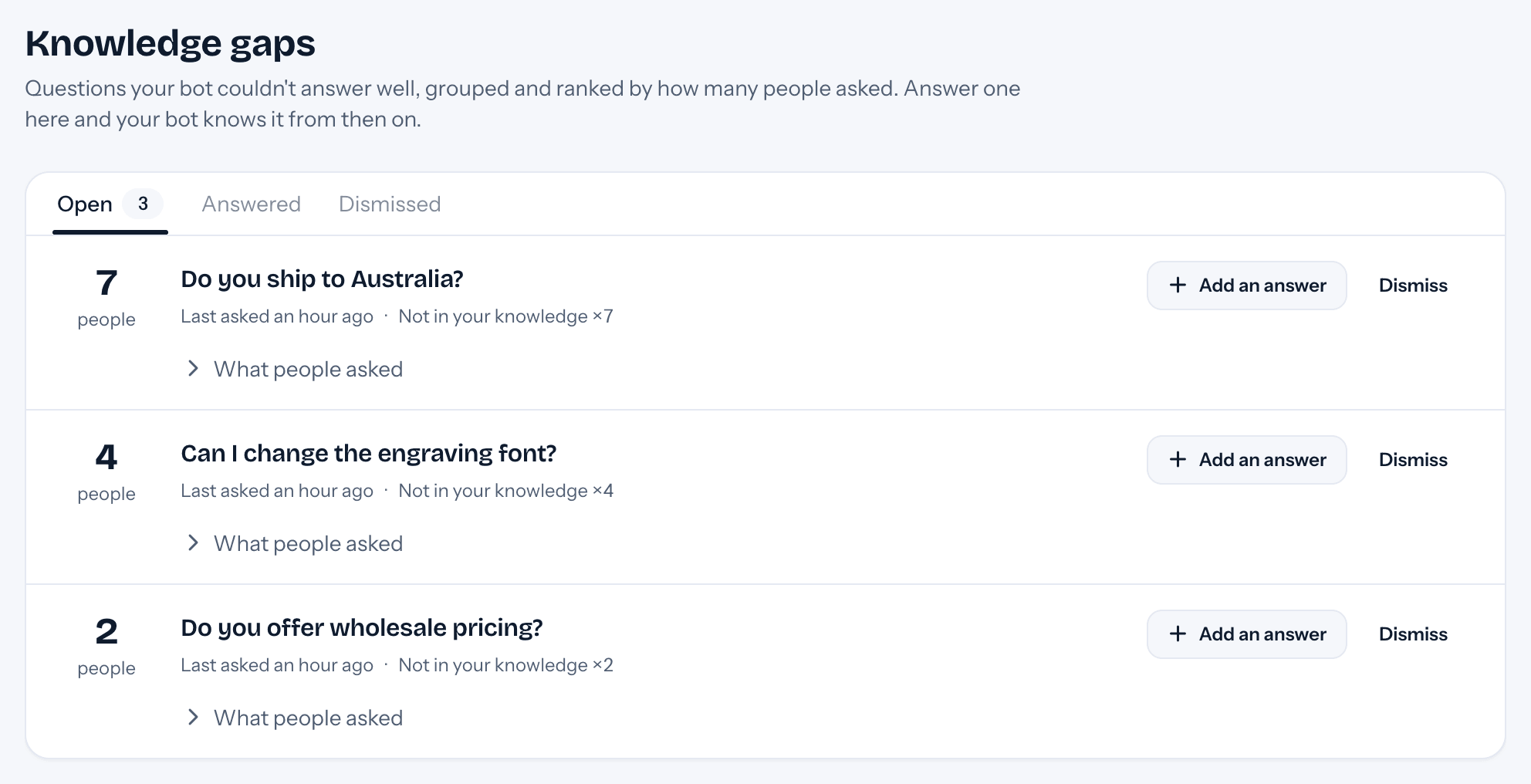
The gaps asked about by the most people in the last 30 days are at the top. For each one you see:
- how many people asked (one conversation is one person, even if the visitor rephrased),
- when it was last asked, and why it counted (for example "Visitor asked for a person ×3"),
- under What people asked, the latest questions in the visitors' own words, with a link to each conversation in the inbox.
Answering#
Press Add an answer. The question is filled in with the gap's wording; change it to the way your visitors ask. If a teammate already answered a visitor about this in a handoff, their reply is the starting point: edit it so it works for everyone (no greetings, names or order details).
Press Save answer. tufu adds it to a knowledge source called Answers for followed by your bot's name (created with your first answer, used by that bot only), and the bot can use it in about a minute. You'll find every answer on the Knowledge page, where you can view or delete it.
Answered gaps move to the Answered tab, where you can edit them. If people keep asking after you answered, the gap comes back to Open with a note: your answer may not cover what they need.
Dismissing#
Dismiss a gap you won't answer: spam, or something your bot shouldn't handle. It moves to the Dismissed tab and stays there however often it's asked. Restore brings it back.