

Not sure where the snippet goes, or can't find where your site builder keeps its custom code? On the Team plan, we'll put tufu on your site with you, for free.
How to ask#
There are two ways in:
- At checkout. When you upgrade to Team, tick I'd like free help putting tufu on my site before you continue to payment.
- From your bot. Open Bots, then Preview next to your bot, and press Help me install. Anyone on your team can ask.
The Preview page asks three things, all optional: your site's address, what it's built with (WordPress, Webflow, Shopify, Squarespace, Wix or something else), and anything we should know, like good times to talk or who looks after your site.
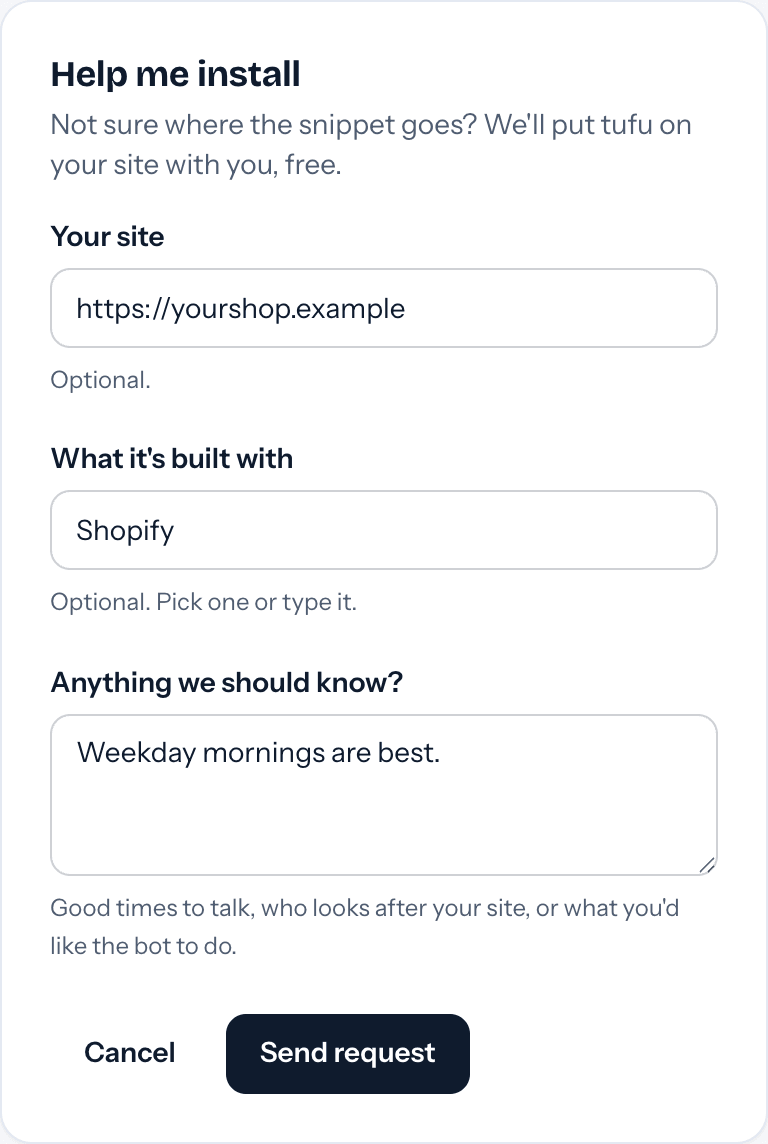
What happens next#
- You get an email saying we have your request.
- We email you to set a time that suits you. Reply to that email with anything you'd like us to know first.
- Together we put tufu on your site and ask it a few of your customers' questions to check it answers.
It's a person helping, not a ticket queue, and it's best effort: there's no guaranteed response time. If something is urgent, email us:
What helps#
- Someone who can edit your site's settings or code, on the call or by email.
- Your bot set up first: some knowledge added, and Public turned on. Getting started covers both.
- The websites the bot should appear on, so we can lock it to them.
Doing it yourself#
Most sites take two lines of HTML. Installing on your website has the steps, and the Preview page has the snippets ready to copy. On a WordPress site, use the tufu AI plugin instead.